RTSP failures often get misdiagnosed because control, transport, decoding, and downstream processing are treated as one path. A player can negotiate playback while media never reaches the decoder, or render cleanly while an artificial intelligence (AI) pipeline loses timestamps. Technical teams need a precise model for RTSP, RTP/RTCP, ports, transports, security, testing, and the boundary between stream access and inference.
Real-Time Streaming Protocol in 60 seconds
Real-Time Streaming Protocol (RTSP) is an application-layer protocol for setting up and controlling the delivery of time-sensitive media. It acts as the session control plane. A client can ask a server what media is available, negotiate delivery, start playback, pause it, resume it, and end the session. The RTSP 2.0 specification defines this role for live feeds and stored media.
RTSP is neither a codec nor ordinarily the protocol carrying each audio sample or video frame. Real-time Transport Protocol (RTP) commonly carries that media. RTP Control Protocol (RTCP) reports reception statistics and identifies participants. Another description format, often the Session Description Protocol (SDP), tells the client which streams, codecs, and control resources exist.
The distinction explains a common failure: an RTSP server can return 200 OK to PLAY while separately negotiated RTP packets are blocked by a firewall.
| Layer | Typical protocol or format | Job |
|---|---|---|
| Session control | RTSP | Set up, start, pause, and end delivery |
| Presentation description | Often SDP | Describe tracks, codecs, timing, and control URIs |
| Media transport | Often RTP | Carry timestamped audio or video payloads |
| Reception feedback | RTCP | Report loss, jitter, timing, and source identity |
| Media encoding | H.264, H.265, Advanced Audio Coding (AAC), Opus, and others | Compress and represent audio or video |
RTP supplies payload identifiers, sequence numbers, and timestamps. It does not guarantee delivery, in-order arrival, timely delivery, or quality of service. RTCP gives the application evidence about reception; it does not repair every missing packet. Those boundaries come directly from the RTP specification.
How an RTSP session works
A representative playback session follows this sequence. Actual flows vary with protocol version, server capabilities, extensions, and how the presentation description reaches the client.
- Discover capabilities with
OPTIONS. The client can ask which methods and feature tags the server supports. This step is useful, though a client can also try a method and handle an error. - Retrieve media information with
DESCRIBE. The response often contains SDP that names the media tracks, encodings, and per-track control URIs.DESCRIBEis not mandatory. A client may receive the presentation description through Hypertext Transfer Protocol (HTTP), a user interface, or another out-of-band path. - Negotiate delivery with
SETUP. The client selects a media transport for a resource. For separate RTP over User Datagram Protocol (UDP), the exchange establishes network addresses and ports. For interleaved RTP over Transmission Control Protocol (TCP), it establishes channel numbers on the RTSP connection. A presentation with audio and video may need aSETUPfor each track. - Start delivery with
PLAY. The server begins or resumes media delivery for the session and requested range. - Change state when needed.
PAUSEinterrupts delivery while keeping the session so a laterPLAYcan resume it. Other methods and extensions may manipulate parameters or report events. - End with
TEARDOWN. The client or server releases the session and its associated resources.
The session identifier returned during setup ties later requests to server-side state. A control connection and an RTSP session are related, yet they are not always the same lifetime. Production clients need explicit timeouts, liveness behavior, reconnection policy, and clean teardown.
Core RTSP methods
| Method | Purpose | What to inspect |
|---|---|---|
OPTIONS | Discover methods and capabilities | Public and Supported headers |
DESCRIBE | Retrieve a presentation description | Content type, SDP, track URIs, codecs |
SETUP | Establish transport for a media resource | Transport and Session headers, addresses, ports, interleaved channels |
PLAY | Start or resume delivery | Status, requested range, RTP starting information |
PAUSE | Pause delivery while retaining session state | Server method support and session state |
TEARDOWN | Release the session | Response, socket closure, resource cleanup |
GET_PARAMETER / SET_PARAMETER | Read or change parameters, depending on implementation | Feature and method support, keepalive behavior |
Treat this table as a protocol map instead of an interoperability promise. Servers can support extensions, omit optional methods, or reject a method in the current session state.
RTSP URLs, ports, and media ports
An RTSP Uniform Resource Identifier (URI) identifies a presentation or individual stream. Its general form is:
rtsp://host[:port]/path
The path is server-defined. It does not imply a universal camera, file, channel, or track naming convention. Use the URI issued by the media owner or device configuration.
RTSP 2.0 defines these defaults:
| Scheme or service | Default or registered port | Meaning |
|---|---|---|
rtsp:// | TCP 554 | RTSP control over a reliable connection |
rtsps:// | TCP 322 | RTSP control over Transport Layer Security (TLS) |
rtsp-alt | 8554 | Registered alternate RTSP service port |
Port 8554 is common in configurations, but it is an alternate rather than the default. The IANA service registry records both 554 and 8554, while RTSP 2.0 assigns TCP 322 to rtsps://.
The control port is not necessarily the media port. With RTP over UDP, SETUP negotiates the media addresses and ports. RTCP may use a separate port, or RTP and RTCP may be multiplexed on one port when both ends support and negotiate that behavior. Opening TCP 554 alone can therefore allow OPTIONS, DESCRIBE, SETUP, and PLAY while blocking every media packet.
Is RTSP TCP or UDP?
For RTSP 2.0, the control protocol uses a reliable connection: TCP for rtsp:// and TCP with TLS for rtsps://. Media transport is a separate decision. RTP can travel as separate UDP flows or as binary data interleaved on the RTSP TCP connection.
| Media choice | Advantages | Failure modes and costs | Good fit |
|---|---|---|---|
| RTP over UDP | No TCP retransmission queue; independent packet arrival; natural fit for time-sensitive media | Packets can be lost, duplicated, or reordered; negotiated ports complicate firewalls and Network Address Translation (NAT) | Controlled networks or paths where UDP is allowed and monitored |
| Interleaved RTP over RTSP TCP | One established connection can cross networks that block separate UDP flows; simpler firewall policy | Framing and processing overhead; lost TCP segments can delay later media behind retransmission; control and media share congestion | Restricted networks, diagnostics, or deployments that value reachability over loss isolation |
Interleaved media over rtsps:// | Control and interleaved media share an encrypted TLS connection | Same TCP head-of-line behavior plus TLS processing | Restricted paths that require confidentiality for the shared connection |
Interleaving is a practical fallback, not a blanket upgrade. The RTSP 2.0 specification warns that it adds overhead and can produce head-of-line blocking. UDP also carries a real operational cost: receivers need loss handling, reordering logic, jitter buffering, and congestion-aware behavior.
Test both transports from the deployment network. A stream that works over interleaved TCP and fails over UDP points toward port negotiation, firewall, NAT, routing, or return-path issues. A stream that works over UDP and stalls under TCP loss may be exposing retransmission delay or oversized buffers.
RTSP 1.0 and 2.0 are different protocols
RFC 7826 defines RTSP 2.0 and obsoletes the RTSP 1.0 specification in RFC 2326. Version 2.0 is not backward-compatible with version 1.0 beyond the basic version-negotiation mechanism.
Do not infer the protocol version from the URI, port, or product category. Identify the actual client, server, and on-wire version. Then record:
- supported methods and status codes;
- required extensions and feature tags;
- presentation description format and how it is obtained;
- accepted RTP profiles and lower transports;
- authentication scheme;
- session timeout and liveness behavior;
- proxy, NAT, and firewall behavior; and
- vendor-specific URI or transport rules.
A generic statement that two products “support RTSP” leaves every one of these compatibility questions unanswered. A valid qualification test exercises the exact version, methods, codecs, transport, network path, and recovery cases that production will use.
NAT and firewall design
RTSP often crosses the network in two stages. The control connection reaches a known server port. The media path then uses addresses, ports, or interleaved channels selected during SETUP.
For separate RTP/UDP, the design must account for:
- the client-side UDP port range;
- server-side source addresses and ports;
- inbound and outbound firewall rules;
- NAT mappings and their idle timers;
- asymmetric routing and multihomed servers;
- RTCP ports or RTP/RTCP multiplexing; and
- whether application-layer gateways rewrite RTSP or SDP correctly.
The IETF defines an RTSP mechanism based on Interactive Connectivity Establishment (ICE) for connectivity checks through NATs, but client, server, proxy, and transport support must align. ICE support should be discovered and tested rather than assumed.
Avoid using broad public UDP exposure as the default fix. Constrain media ranges where the software supports it, restrict peers, monitor accepted source addresses, and confirm bidirectional reachability with packet captures from both ends.
RTSP authentication and media security
Authentication answers who may control or access a session. Encryption protects traffic from observation or modification. They are separate controls.
An RTSP server may challenge a client for credentials. That does not make plain rtsp:// confidential. The URI can also leak credentials through shell history, process listings, logs, screenshots, or monitoring if a client embeds user:password@host. Supply secrets through the client's supported secure mechanism and redact them from diagnostics.
rtsps:// protects the RTSP connection with TLS. It does not automatically encrypt RTP sent separately over UDP. Separately transported media needs its own protection, such as Secure Real-time Transport Protocol (SRTP), with a compatible profile and key-management mechanism. RFC 3711 defines SRTP protection for RTP and RTCP traffic.
If media is interleaved inside an rtsps:// connection, that media shares the TLS protection of the connection. Document which case applies. A security review should trace credentials, control messages, presentation descriptions, media packets, keys, recordings, decoded frames, and downstream AI data as distinct assets.
Where RTSP ends in an AI media pipeline
RTSP can give an AI system controlled access to a camera, microphone, recorder, or media server. It does not define an inference interface. It also does not turn encoded RTP payloads into model-ready tensors or audio samples.
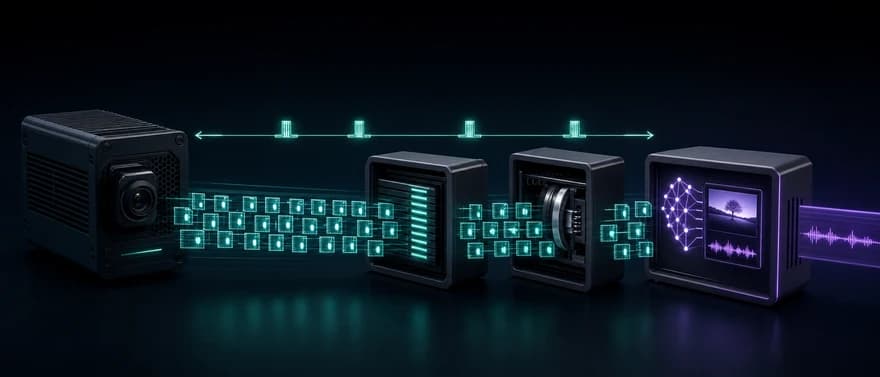
A receiving pipeline still has to:
- maintain the RTSP session and receive the negotiated media;
- validate RTP sources, sequence numbers, and timestamps;
- reorder packets and apply an explicit jitter-buffer policy;
- depayload the codec bitstream from RTP;
- decode compressed audio or video;
- resample, resize, normalize, or color-convert the decoded media;
- preserve or reconstruct timestamps across audio and video;
- feed frames or sample windows into speech, vision, or multimodal processing; and
- connect model results to application state, tools, storage, and observability.
Each stage adds its own queue and failure mode. A long video group of pictures can delay the first useful frame. A large jitter buffer can hide network variation while increasing latency. Audio resampling and video frame selection can move modalities onto different clocks. Model batching can add more delay after transport is healthy.
Measure the latency budget at stage boundaries: source capture, encode, network arrival, depayload, decode, normalization, inference start, inference finish, and application action. RTSP itself provides no end-to-end latency guarantee.
This boundary also separates RTSP from the channel layers used in a production voice AI stack. Session Initiation Protocol (SIP) controls telephony sessions while RTP or SRTP carries call media. Browser voice commonly uses Web Real-Time Communication (WebRTC). The WebRTC and WebSocket guide explains why media transport and application signaling should be evaluated independently.
Set up and test an RTSP input
Only test a stream you own or are authorized to access. Do not depend on a public demo stream of unknown ownership for production qualification.
1. Record the expected contract
Before running a player, write down the URI, protocol version, credentials mechanism, tracks, codecs, expected frame or sample rate, transport options, source addresses, allowed port range, encryption, and session timeout. This turns a vague connection test into a set of falsifiable checks.
2. Probe the presentation and codecs
ffprobe -v error -rtsp_transport tcp -show_streams -show_format rtsp://HOST/PATH
ffprobe attempts to open the resource and reports the media streams and format it can identify. This can prove that the host running the command negotiated enough of the session to inspect the advertised or received media. It does not prove sustained packet delivery, low latency, correct timestamps, recovery, or compatibility with the production decoder and AI pipeline. The ffprobe documentation defines the stream and packet inspection options.
3. Render through a known decoder
ffplay -rtsp_transport tcp rtsp://HOST/PATH
This forces RTP to be interleaved over TCP in FFmpeg's RTSP client. Successful playback proves more than a control-only request: the test host received media, depayloaded it, decoded it, and rendered at least the observed interval. It still says nothing about UDP reachability, long-run stability, reconnection, production load, model input, or application outcomes. FFmpeg documents udp and tcp as separate RTSP transport options.
Repeat with the intended UDP configuration when UDP is part of the production design. Compare connection time, packet loss, reordering, buffer depth, and end-to-end latency rather than declaring one transport universally faster.
4. Isolate RTSP and raw RTP reception
gst-launch-1.0 rtspsrc location=rtsp://HOST/PATH ! fakesink
GStreamer's rtspsrc establishes an RTSP session and sends raw RTP packets to fakesink. The element documentation uses this exact pattern. A successful run isolates connection and packet reception. It does not prove codec depayloading, decoding, rendering, or inference.
5. Run the real acceptance path
Connect the source to the exact depayloader, decoder, buffering policy, timestamp logic, and AI preprocessing used in production. Validate a controlled media sample and expected model output. Then inject disconnects, packet loss, reordering, credential failure, session expiry, codec changes, and source restart.
Troubleshoot RTSP layer by layer
| Symptom | Likely boundary | Next evidence to collect |
|---|---|---|
| TCP connection fails | Domain Name System (DNS), routing, control port, firewall, TLS | Resolve addresses, test the exact TCP port, inspect TLS and server logs |
401 or 403 response | Authentication or authorization | Challenge headers, credential source, account permissions, clock if relevant |
404 response | URI path or resource mapping | Server-issued URI and case-sensitive path |
405, 501, or 505 response | Method or version mismatch | Request line, Public header, supported RTSP version and extensions |
461 Unsupported Transport | SETUP transport mismatch | Offered and accepted Transport values, RTP profile, interleaving support |
PLAY succeeds but no media arrives | Separate media path | Negotiated destination, UDP ports, NAT mapping, packet capture, source address |
| Video works but audio does not | Track-specific setup or codec path | Per-track SETUP, audio payload type, depayloader, decoder, ports |
| TCP works but UDP fails | Firewall, NAT, routing, port range | Negotiated RTP/RTCP ports and captures on both endpoints |
| Media arrives but will not decode | Payload or codec mismatch | SDP payload mapping, codec parameters, depayloader and decoder logs |
| Playback stalls or latency grows | Loss, TCP retransmission, buffer policy, server pacing | RTP sequence gaps, RTCP reports, queue depth, decoder timestamps |
| Session drops after an interval | Timeout or liveness policy | Session timeout, keepalive method, server logs, NAT idle timer |
| Player works but AI output fails | Pipeline after decode | Decoded format, timestamps, sample or frame cadence, preprocessing, model contract |
Capture both control messages and media counters. A single “connected” metric hides the boundary that failed. At minimum, record RTSP status by method, setup transport, active session age, RTP packets and bytes, sequence gaps, jitter estimate, RTCP reports, decode errors, queue depth, frames or samples delivered, reconnections, and time to first model input.
RTSP architecture checklist
Before approving a deployment, confirm:
- The client and server agree on RTSP version, methods, extensions, and status handling.
- The URI path and credential-delivery mechanism are documented without exposing secrets.
- The presentation description source, track control URIs, payload mappings, and codec parameters are known.
- Every media track has a negotiated lower transport, address, port, or interleaved channel.
- Required RTP profiles, depayloaders, decoders, resamplers, and format converters are available.
- Firewalls, NAT devices, return routes, and UDP ranges match the negotiated media path.
- Control authentication, control encryption, media encryption, and key management are separate, explicit decisions.
- Jitter buffering, decoder buffering, frame selection, and the total latency budget have measured limits.
- Session timeout, keepalive, reconnect, backoff, source restart, and clean teardown behavior are tested.
- Control status, RTP/RTCP health, decode health, queue depth, and downstream delivery are observable.
- AI acceptance tests validate decoded formats, timestamps, representative media, expected model results, and failure recovery.
Where Dasha fits
We document Dasha's real-time channels as SIP telephony and browser voice. Our browser voice architecture uses WebRTC for media and WebSocket signaling. We do not document a native RTSP client, server, camera or network video recorder integration, ingest endpoint, or RTSP bridge.
Keep an RTSP camera or media source in a separate ingestion and processing boundary. If a gateway is part of the design, verify its RTSP version, transports, codecs, buffering, output contract, and the receiving platform's actual channel support. Do not assume that a generic media gateway creates a supported RTSP-to-agent path.
If your product needs a managed voice-agent runtime over SIP telephony or browser voice, evaluate our Voice AI Backend with the real channel, business tool, and failure cases your production system must handle.