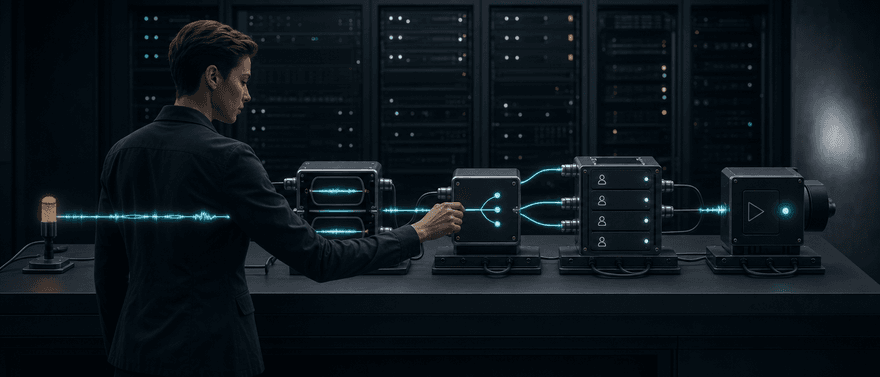
The right enterprise voice AI platform depends on the operating responsibilities your team can support. Dasha offers a managed runtime with APIs, Session Initiation Protocol (SIP), provider choice, and public usage pricing. Retell AI emphasizes integrated testing and live supervision; Vapi emphasizes hosted component choice; and LiveKit provides open-source code and deployment control. PolyAI, NICE Cognigy, and Parloa address broader contact-center programs, while Telnyx combines the carrier and agent layers.
That shortlist is only the start. An enterprise deployment must keep working through peak traffic, provider failures, bad audio, slow tools, policy changes, and software releases. It also needs auditable control over users, data, actions, tenants, and costs. A platform becomes enterprise-ready for your team when it passes those tests with a responsibility model you can operate.
Enterprise voice AI platforms compared
| Platform | Public governance and change controls | Published reliability or capacity | Deployment boundary | Pricing disclosure | Material gap to verify |
|---|---|---|---|---|---|
| Dasha | Admin and Developer roles; Google SSO; 90-day activity logs for configuration and runtime events | Growth advertises a 99.99% uptime SLA and unlimited concurrent calls, with up to 1,000 per AI agent or more | Managed service plus enterprise on-premises availability; public materials do not define the on-premises operating or tenancy boundary | 1,000 free minutes; Growth from $0.08/min, all-inclusive except VoIP and model tokens; on-premises terms are not public | Customer-controlled identity-provider federation, fine-grained roles, staged promotion, service-processing regions, dedicated or private-cloud boundaries, and named certification reports require confirmation |
| Retell AI | Versioning and environment tags, A/B tests, and simulations; Enterprise single sign-on and role-based access control; per-agent retention controls | Retell guarantees greater than 99.9% platform uptime; pay-as-you-go workspaces start with 20 concurrent calls, while Enterprise offers custom high concurrency and a dedicated stable server | Hosted cloud with shared or dedicated stable servers; Retell also markets Enterprise VPC and on-premises options, but does not publish their detailed technical boundary | $0.07-$0.31/min self-serve headline; Enterprise custom | Live monitoring exposes raw data before post-call scrubbing; confirm private-deployment scope, region, subprocessor, and export terms |
| Vapi | Test suites and evaluations; Enterprise single sign-on and roles; separate development, test, and production organizations recommended | 10 concurrent calls are included on Build; Vapi reports 99.9% uptime for enterprise clients, while Scale lists custom concurrency and a custom support SLA without publishing the contractual measurement scope | Vapi orchestration stays on Vapi infrastructure; models, speech, and storage can be customer-controlled | $0.05/min hosting plus providers; HIPAA $2,000/mo; zero retention $1,000/mo | The on-premises product answer does not define the same boundary as the hosted-orchestration documentation |
| Parloa | Version control, simulation, regression tests, roles, audit logs, redaction, retention, and human approval paths | Cloud autoscaling and Parloa-reported high-volume operation; public Trust Center lists availability and SLA materials rather than one public numeric commitment | Azure-based global control plane plus regional, customer- or cohort-isolated runtime stamps; June 2026 architecture material points to additional cloud providers; bring-your-own speech and models | No public dollar rate; consumption-based pricing and tailored proposals | Carrier/runtime ownership expands switching scope; contract capacity, control entitlements, and service levels need a quote |
| LiveKit Agents | Code review and testing, deployment rollback, log drains; Scale roles; Enterprise single sign-on | 99.99% realtime-network uptime; Scale starts at 50 concurrent agent sessions and can be increased to 600, with up to 5,000 network connections; Enterprise capacity is custom | Managed Cloud or a self-hosted framework and server | $0/$50/$500/custom plans plus itemized component rates | A self-hosted deployment transfers substantial security, reliability, and on-call work to the customer |
| PolyAI | Per-area permissions, branches, gated environments, version history, tests, Git, and continuous delivery | 99.9% SLA for phone-line uptime; API docs report 99.994% production uptime over the trailing 12 months; PolyAI reports millions of conversations per month | Public platform is hosted on Amazon Web Services; custom SIP is account-managed | Per-minute model; no public dollar rate | No public self-hosted runtime; confirm regions, carrier, retention, and export terms |
| NICE Cognigy | Roles, single sign-on, audit logs, organization isolation, quotas, retention, APIs, and command-line interface | Cognigy reports 25,000-plus concurrent conversations; no public uptime figure | Shared or dedicated Cognigy software as a service for new customers; new on-premises installations are not offered, while existing installations continue and receive updates | Billing units are public; prices and several add-on licenses are not | Voice Gateway depends on Cognigy.AI and may require separately licensed products |
| Telnyx AI Assistants | Single sign-on, organization users and groups, account audit logs, assistant testing, versioning, traffic rules, and rollback | Pay as you go includes 500 concurrent calls and 100 API requests per second; Committed offers higher limits and Enterprise lists unlimited rate limits | Hosted Telnyx carrier and agent runtime; Enterprise adds dedicated infrastructure and IP addressing plus private network interconnect | $0.05/min voice engine; model tokens and telephony extra. Committed starts at a $500 monthly minimum; Enterprise at $5,000 | No public self-hosted or customer VPC runtime; carrier/runtime concentration expands exit work |
These are not identical products. LiveKit is infrastructure-led. PolyAI, Cognigy, and Parloa are closer to enterprise customer-experience suites. Dasha, Retell, and Vapi sit between those ends, while Telnyx joins the phone network to the agent layer. Comparing them as one flat feature checklist hides the decision that matters most: who operates each part of the system when something fails or changes?
What makes a voice AI platform enterprise-ready?
Enterprise readiness is repeatable, governed, observable performance under real traffic and real change. It is not a company-size label, a large concurrency number, or a list of certifications.
Governance across users, data, actions, and changes
Voice agents can read customer records, update systems, take payments, schedule work, and transfer conversations. Runtime governance must control which identity can call each tool, which fields it can access, what inputs are valid, and which actions require human approval. OWASP recommends least privilege, deterministic validation, separation of untrusted content, and adversarial testing for systems exposed to prompt injection.
Development governance is a separate requirement. Ask who can change prompts, models, voices, tools, routing, retention, and escalation policy. Require version history, approval boundaries, staged environments, a release record, and rollback. An audit log that covers calls but not configuration changes leaves a material gap.
Compliance also follows the full data path. A carrier, platform, speech provider, model, tool endpoint, storage system, and human operator may all touch different artifacts. For example, US health guidance makes clear that encryption does not remove contractual and risk-analysis duties when a cloud provider handles protected health information. Confirm the exact services, regions, subprocessors, retention rules, and contract scope for your deployment.
Reliability across the whole call path
A voice call can fail at telephony, speech recognition, turn detection, the model, a business tool, speech synthesis, or human handoff. Platform uptime covers only part of that path. Set service-level indicators for the outcomes callers experience: task completion, caller-audible response time, interruption recovery, tool success, transfer success, safe failure, and queue or rejection rate.
Track distributions rather than one average. P50 shows the typical call, while P95 and P99 expose the slow tail where customer frustration and abandonment concentrate. Use the same measurement boundary for every finalist, ideally from the end of caller speech to the first audible agent response. A model's time to first token is not the same measurement.
Observability also needs two views. A conversation trace should connect audio, transcripts, model events, tool calls, handoffs, latency, and cost. Fleet logs must cover startup, dispatch, capacity, crashes, and dependency health.
Release safety matters because voice sessions are long-lived. A rollout should keep active calls on healthy old instances while new traffic moves to the new version. Test fallback exhaustion, active-call draining, canary scope, kill-switch behavior, and rollback. Turn production incidents into repeated regression tests rather than one-off prompt edits.
Scale by traffic shape and tenant
A statement such as "supports 1,000 concurrent calls" does not explain how quickly calls can start, what happens above the limit, how long sessions may run, or whether one tenant can consume the fleet. Test at least five capacity dimensions:
- active calls;
- call starts per second or minute;
- hourly and daily quotas;
- queue, backpressure, and rejection behavior;
- capacity and cost during bursts.
White-label voice products and other multitenant deployments need another layer. Each customer requires explicit identity, credentials, resource boundaries, policy, retention, quotas, observability, and cost attribution. Release controls should let you canary by tenant and roll back one customer without forcing a fleet-wide reversal.
Calculate cost per successful outcome instead of stopping at cost per connected minute. Include speech, models, telephony, recordings, storage, transfers, retries, support, implementation, evaluation, and on-call engineering. Two stacks with the same monthly minutes can have different costs if one sees sharper peaks, more transfers, or more failed attempts.
Customization and control that survive production
A long provider catalog is useful, but enterprise control is about boundaries. Identify who owns the carrier, speech recognition, turn taking, model routing, tools, synthesis, recordings, orchestration state, evaluation data, and deployment. Then ask which layers can be replaced without rebuilding the others.
Custom model endpoints and provider keys reduce some dependency. They do not automatically make runtime behavior, operational metadata, test suites, or call data portable. The same is true for custom SIP: using your carrier does not mean the agent runtime can run inside your environment.
Private or self-hosted deployment changes the responsibility split. It can improve infrastructure and data control, but it transfers some combination of capacity planning, upgrades, secrets, networking, rollout, draining, monitoring, and incident response. Compare the managed API-platform model with the open-source operating model before treating either as the default.
Finally, run an exit test. Export the prompts, tool schemas, configuration, evaluation cases, recordings or transcripts, and operational evidence you are entitled to keep. Move one representative tenant or call path to another provider. The exercise reveals switching work more reliably than a portability checkbox.
The best enterprise voice AI platforms
1. Dasha: managed production runtime for technical teams
Best for: Technical teams that want to build and run production voice AI without assembling every runtime layer.
We built Dasha as a managed production platform with a web application and REST API. Teams can create phone and web agents, choose model and voice providers, connect tools and webhooks, test conversations in the browser, run calls through SIP, and inspect searchable transcripts. That gives engineering teams a managed starting point while preserving API access and provider choice.
Dasha operates the managed runtime and underlying infrastructure, while customers control calling recipients and timing and retain API access, provider selection, prompts, tools, and integrations. Our public Growth plan advertises 99.99% uptime and unlimited concurrent lines, with up to 1,000 concurrent calls per agent or more. Pricing starts at $0.08 per minute before Voice over Internet Protocol (VoIP) and model-token costs; Developer includes 1,000 free minutes.
Dasha documents Admin and Developer roles plus Google SSO across Dasha products and 90-day activity logs covering agent and configuration changes, calls, webhooks, tool calls, and Model Context Protocol calls. Our public full product overview also says on-premises deployment is available for enterprises, but does not publish who operates it or define dedicated, private-cloud, VPC, or self-hosted boundaries. Customer-controlled identity-provider federation, finer-grained roles, staged environment promotion, service-processing regions, and named certification reports such as SOC 2 or ISO 27001 are not defined in the current public product specification. Confirm those requirements, the on-premises responsibility split, call-data retention, audit export, support response, and the contractual uptime scope directly with us before procurement.
2. Retell AI: integrated operations and live supervision
Best for: Product and operations teams that want building, testing, analysis, and live call intervention in one hosted platform.
Retell AI supports prompt-based and structured-flow agents, simulations, custom telephony, post-call analysis, and component-level latency telemetry. Its live monitoring can show the transcript, let an operator listen, take over the call, or end it. That is useful for high-touch launches and supervised workflows.
Retell's pricing page advertises headline pay-as-you-go voice-agent pricing of $0.07 to $0.31 per minute and 20 included concurrent calls. Its reliability overview guarantees greater than 99.9% platform uptime. Detailed rates are componentized across voice infrastructure, text-to-speech, language models, telephony, and add-ons, so model the exact stack rather than treating the displayed range as an all-in ceiling. Enterprise adds custom single sign-on, role-based access control, a dedicated stable server, 24/7 support, custom pricing, and custom concurrency. The current pricing page describes Enterprise capacity as both "No Cap" and "High Cap," while its FAQ says custom concurrency starts at 50-plus calls, so confirm the contractual ceiling. Retell also documents per-agent retention controls for the platform generally.
Live supervision needs explicit access control. Retell documents that personally identifiable information scrubbing runs after a call ends, so live monitoring can expose raw data to users with the required permission. Retell's privacy policy says personal information is primarily stored and processed in the United States and may also be processed in other jurisdictions; a compliance page separately says Retell does not currently operate services in the European Union. Custom SIP and a customer-hosted language-model server can reduce component dependency. Retell also markets Enterprise VPC and on-premises options. For cloud, VPC, or on-premises offers, confirm the exact runtime, speech, telephony, storage, operations, region, subprocessor, support, and export boundary in writing.
3. Vapi: hosted composability
Best for: Developers that want broad choice across speech, model, storage, carrier, and custom-server components without operating the full real-time runtime.
Vapi supports provider keys, custom speech-recognition, model, and speech-synthesis servers, tools, Model Context Protocol integrations, webhooks, simulations, and multiple carrier and SIP paths. Its enterprise environment guidance recommends separate organizations for development, user acceptance testing, and production, with configuration promoted as code.
Vapi's data-flow documentation says its proprietary orchestration and some operational data remain on Vapi infrastructure even when models, speech, and storage are customer-controlled. Its FAQ also describes on-premises deployments for large enterprises. Those statements do not define the same boundary, so require a written architecture before describing an offer as on-premises. Vapi also documents Health Insurance Portability and Accountability Act (HIPAA) mode and zero-data-retention mode as mutually exclusive.
Public pricing lists $0.05 per minute for hosting, 10 included concurrent calls, and $10 per additional line per month. The hosting rate excludes speech-to-text, model, and text-to-speech provider costs; those are passed through at cost or fall to $0 when you bring your own API key. Telephony terms depend on whether you use Vapi-managed US numbers or import another provider's number. HIPAA mode is listed at $2,000 per month and zero data retention at $1,000 per month. Vapi's homepage reports 99.9% uptime for enterprise clients. Scale is an annual contract with custom call concurrency, single sign-on, role-based access, data residency, enterprise-grade uptime, a custom support service-level agreement, and a dedicated account team, but public materials do not define the contractual uptime or SLA measurement scope.
4. Parloa: governed enterprise contact-center platform
Best for: Global and regulated contact centers that need lifecycle controls, broad enterprise integrations, and one owner for telephony and the agent runtime.
Parloa documents a Design, Test, Scale, and Optimize lifecycle with version control, pre-launch simulation, regression testing, audit logs, role-based access, personally identifiable information redaction, flexible retention, and human approval paths. Public materials do not disclose plan-level availability for all of these controls, so confirm entitlement in the quote and contract. Its integrations include major contact-center, customer relationship management, service, and workforce platforms.
Parloa has described its cloud-native service as Azure-based, with a global control plane and regional runtime planes. Its June 2026 architecture article also points to expansion across more regions and cloud providers, so confirm the contracted cloud and region. Parloa describes customer- or cohort-isolated deployment stamps and bring-your-own speech-to-text, text-to-speech, and language models; public materials do not establish customer-managed VPC or self-hosted deployment. Its Trust Center lists ISO 27001:2022, SOC 2 Type I and II, the Payment Card Industry Data Security Standard (PCI DSS), HIPAA, the General Data Protection Regulation, and the Digital Operational Resilience Act. Confirm the exact assessed service, region, processor, and contract scope for your deployment.
Parloa publishes no dollar rate; its FAQ describes consumption-based pricing tied to task complexity and effort and provides tailored proposals. Parloa does not state one numeric uptime commitment on the public product pages used here; its Trust Center lists service-availability and SLA materials, so verify the applicable commitment and measurement scope. Owning the carrier and runtime can simplify incident ownership, but it also increases the work required to change both layers. Put capacity, service levels, regions, retention, data export, provider choice, and exit assistance in the contract.
5. LiveKit Agents: open-source code, media, and deployment control
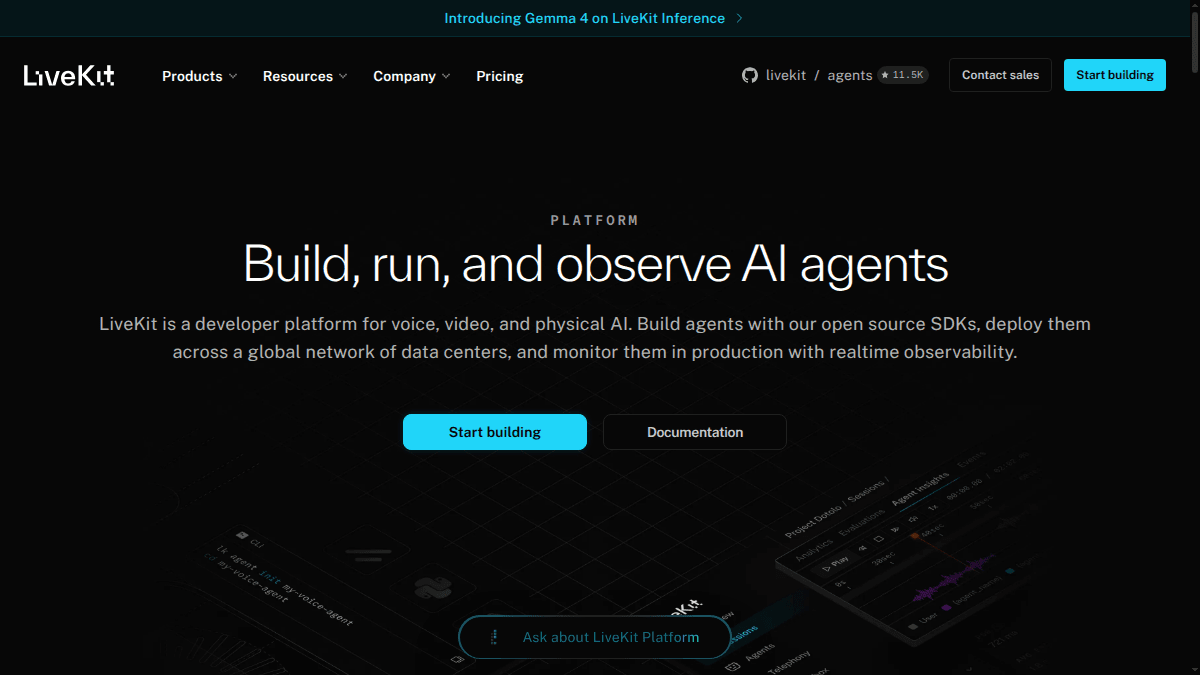
Best for: Platform teams building highly custom voice, video, multimodal, or human-in-the-loop products.
LiveKit Agents is an Apache-2.0 open-source Python and Node.js framework with provider plugins, Web Real-Time Communication (WebRTC), SIP, and deployment through LiveKit Cloud or a custom environment. The code-first model fits normal code review, testing, and continuous-delivery workflows. LiveKit Cloud adds managed builds, scaling, rolling releases, and correlated session observability.
LiveKit provides direct code and deployment control, but not a prebuilt contact-center program. In a custom deployment, your team owns container orchestration, capacity, networking, storage, upgrades, release draining, and on-call operations. Cloud reduces that load, but managed deployment, inference, observability, and telephony remain service dependencies when used.
LiveKit pricing publishes 99.99% uptime for the realtime media network. Scale starts at 50 concurrent agent sessions and can be increased through the dashboard to up to 600; it includes up to 5,000 concurrent LiveKit network connections. Scale also includes role-based access and region pinning for LiveKit Cloud network traffic; current Cloud agent deployment regions are Virginia, Frankfurt, and Mumbai. Enterprise capacity is custom and adds single sign-on and a support service-level agreement. Those controls and uptime figures apply to LiveKit's layer, not the end-to-end carrier, model, speech, and business-tool path. Pricing itemizes sessions, models, telephony, and observability. Add infrastructure, load testing, security, upgrades, and production staffing for a custom deployment.
6. PolyAI: governed enterprise contact-center platform
Best for: Large contact centers that want visual and developer build paths, governed promotion, major contact-center integrations, and optional expert-led support.
PolyAI supports three build paths: visual Agent Studio, an Agent Development Kit with a command-line interface, and REST APIs. It documents per-area permissions and versioned Sandbox-to-Live promotion, with a Pre-release user-acceptance-testing stage, plus rollback, branches, version comparison, automated tests, Git, continuous-delivery workflows, and conversation review. Telephony integrations cover major contact-center platforms; custom SIP requires account-team coordination.
PolyAI's public pricing uses a per-minute model without publishing the dollar rate. It includes a 99.9% phone-line uptime agreement, 24/7/365 emergency support, maintenance, upgrades, and ongoing performance improvements. Separate API documentation reports 99.994% production uptime over the trailing 12 months, but does not present that figure as the phone-line SLA. Its compliance documentation lists ISO 27001, SOC 2 Type II, the General Data Protection Regulation, and Cyber Essentials/Plus; it describes systems designed for relevant HIPAA and PCI DSS requirements.
PolyAI's public security material describes a managed cloud runtime hosted on Amazon Web Services. Its runtime and data APIs publish US, UK, and EU West regional endpoints, while some telephony integrations also document Asia-Pacific endpoints. Public documentation does not describe a customer-hosted, private VPC, or dedicated runtime option. Confirm the contracted runtime and telephony regions, retention, carrier and SIP path, release responsibility, export rights, and commercial terms.
7. NICE Cognigy: enterprise customer-experience suite
Best for: Enterprises standardizing voice automation inside a broader customer experience (CX) and contact-center architecture.
NICE Cognigy Voice Gateway combines inbound and outbound voice with low-code flows, deterministic and generative logic, speech-provider choice, transfers, contact-center integrations, and operational monitoring. Cognigy's operations and orchestration layer also documents granular access, single sign-on, encryption, audit logs, organization isolation, quotas, and retention controls.
Voice Gateway is an add-on and cannot run independently of Cognigy.AI. Cognigy reports support for 25,000-plus concurrent conversations and provides a marketplace of ready-to-use channel connectors, third-party integrations, and multimodal applications, but does not publish an uptime commitment on the current pages used for this comparison. Its installation documentation says new on-premises installations are no longer offered, although existing installations continue and receive updates.
Cognigy's billing documentation explains billing units but does not publish dollar prices. Under a Cognigy license, Cognigy.AI is billed by conversation and Voice Gateway capacity by purchased concurrent-line packages, with daily overage charges above the package. Under NiCE CXone Cognigy, voice is counted in conversation units of up to 10 minutes per call. Voice Gateway requires a separate Cognigy agreement, while xApps, Knowledge AI, and Ops Center are separately licensed. Ask for a complete service map covering capacity, support, regions, retention, integration work, each required license, and exit assistance.
8. Telnyx AI Assistants: carrier-native stack
Best for: Phone-first teams that want numbers, carrier infrastructure, speech, inference, orchestration, and telephony troubleshooting from one vendor.
Telnyx AI Assistants puts a managed agent layer on the same vendor's communications network. Its console and APIs cover assistant configuration, traces, latency breakdowns, transcripts, version testing, traffic distribution, handoff, and telephony features. Keeping the network and agent control planes together can reduce ambiguity when a phone call fails.
The same consolidation concentrates dependency. A team committed to another carrier, or one that wants the runtime to remain carrier-neutral, may not want to move both layers together. An exit can involve numbers, routing, SIP configuration, recordings, traffic controls, prompts, tools, and operational data rather than one API replacement.
Telnyx lists $0.05 per minute for the Voice AI engine. That rate includes orchestration, hosted speech-to-text, and hosted text-to-speech. Model tokens and telephony are add-ons; recording, WebSocket media streaming, conferencing, numbers, messaging, and other standalone components have separate rates. Quote the actual destinations, directions, traffic shape, and options.
Telnyx lists SOC 2 Type II and other compliance programs and says it operates its own communications network with country-by-country voice coverage; confirm number, calling, and regulatory coverage for each launch market. Telnyx documents single sign-on providers, organization users, account audit logs, and assistant testing, versioning, traffic rules, and rollback. Pay as you go includes 500 concurrent calls. Enterprise adds dedicated infrastructure and IP addressing, private network interconnect, and unlimited rate limits. Confirm plan-specific identity coverage and whether account audit logs capture every assistant change; the public plan does not describe self-hosted or customer VPC deployment.
Run a production pilot, not a demo day
A useful pilot is narrow enough to diagnose and realistic enough to fail. Use one high-value call flow, then move it through five gates.
1. Freeze one workload and data path
Specify the carrier route, languages, voices, audio conditions, prompts, models, tools, policies, retention, and escalation path. Map every system that processes or stores audio, transcripts, prompts, tool payloads, model context, and operational metadata.
2. Set outcome and reliability gates
Choose targets before testing. At minimum, measure:
- task completion and safe-failure rate;
- tool-call correctness, timeout, retry, and duplicate-action rate;
- transfer success and context preservation;
- caller-audible P50, P95, and P99 response time;
- interruption and false-interruption recovery;
- accepted, queued, rejected, and failed call starts;
- cost per successful outcome.
Use the same route, audio, tools, prompts, models, and traffic pattern for every finalist.
3. Break every dependency
Test noisy audio, ambiguous input, unauthorized requests, slow and failing tools, carrier trouble, speech-provider failure, model timeout, human unavailability, and burst traffic. Verify what the caller hears, which fallback runs, whether actions stay idempotent, what gets recorded, and whether the trace explains the result.
4. Prove tenant and release control
Create at least two tenants with different policies, data, credentials, quotas, and regions. Attempt cross-tenant access and a noisy-neighbor load spike. Then release a versioned change through approval, regression tests, a narrow canary, active-call protection, rollback, and incident replay.
5. Verify the exit path and contract
Export the configuration, prompts, tool schemas, evaluation cases, call evidence, and billing data you expect to own. Move one representative call path. Put the service boundary, capacity, support, data regions, retention, deployment, service-level agreement, deprovisioning, and exit assistance in writing.
Which enterprise voice AI platform should you choose?
Choose the operating model first. Dasha fits technical teams that want a managed production platform with APIs, telephony, provider choice, testing, and call operations. Retell emphasizes integrated supervision. Vapi emphasizes hosted component choice. LiveKit gives platform teams direct code and deployment control. PolyAI, Cognigy, and Parloa provide broader contact-center programs. Telnyx joins the carrier and agent layers.
The final choice is the platform that passes the same production gates with an ownership model, risk profile, and switching cost your organization can accept.
FAQs
Is an enterprise voice AI platform the same as a contact-center platform?
No. A voice AI platform may provide the real-time agent runtime, speech, tools, telephony, testing, and monitoring without replacing workforce management, routing, case management, quality management, or the rest of a contact-center suite. Confirm whether the product is infrastructure, an agent platform, a full CX suite, or an integration across those layers.
Does self-hosting make voice AI enterprise-ready?
No. Self-hosting changes who owns infrastructure and data controls. Your team still needs identity, authorization, capacity, high availability, provider failure handling, observability, release safety, upgrades, and on-call response. A managed platform can be enterprise-ready when its controls and responsibility boundary meet the same requirements.
What should an enterprise voice AI request for proposal require?
Require a complete architecture and data-flow map; identity, access, action, tenant, and change controls; retention and region scope; measurable latency and outcome definitions; capacity and burst behavior; traces and fleet logs; evaluations, canaries and rollback; provider and carrier options; support and service-level boundaries; full-stack cost; and an export and exit plan.
Explore Dasha's production voice AI platform, or start with 1,000 free minutes.