An audio codec encodes audio into a digital representation and decodes it for playback or processing. Many codecs compress sound to reduce storage and network use. The choice affects quality, compatibility, and delay, whether you are listening through wireless headphones, distributing a recording, or building a live conversation. Understanding those tradeoffs starts with separating the codec from the file that carries it.
What does an audio codec do?
Codec is short for coder/decoder. The encoder turns audio samples into a defined bitstream. The decoder reads that bitstream and reconstructs audio samples that software can process or a device can play.
For a downloaded song, encoding happens before distribution and decoding happens during playback. In a voice call, each participant's device continually encodes outgoing audio and decodes incoming audio. The receiving side needs a compatible decoder for the representation the sender uses.
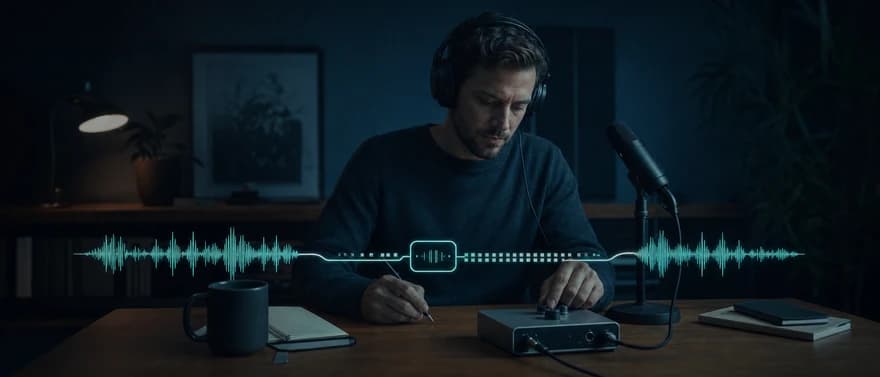
The same term also has a hardware meaning. An audio codec chip can combine an analog-to-digital converter, which captures an electrical audio signal as samples, with a digital-to-analog converter, which produces an output signal for playback. A hardware codec need not compress audio. A chip in an audio interface and a software codec such as Opus perform different jobs in the sound path.
How audio encoding works
A typical recording-to-playback path has four stages:
- Capture: A microphone and converter produce digital samples describing the sound's amplitude over time.
- Encode: An encoder represents those samples in the chosen coding format. Compression can reduce redundant information or discard detail, depending on the codec.
- Store or transmit: The encoded data goes into a file or travels across a connection.
- Decode: A decoder produces samples for editing, analysis, or playback through speakers or headphones.
Many systems use linear pulse-code modulation (PCM) for uncompressed samples. Three properties describe much of that data:
- Sample rate: The number of samples per second, usually expressed in hertz (Hz) or kilohertz (kHz).
- Bit depth: The number of bits used to represent each sample's amplitude.
- Channel count: One channel for mono, two for stereo, or more for other layouts.
For fixed-width, uncompressed PCM, the audio data rate is sample rate × bit depth × channel count. At 48,000 samples per second, 16 bits per sample, and one channel, that is 768,000 bits per second, or 768 kilobits per second (kbps). One minute contains 5.76 megabytes of sample data, using decimal units, before file or network overhead.
Compression changes the relationship. A compressed stream's bitrate depends on its coding method and settings, rather than simply multiplying the source sample properties. A 48 kHz compressed stream does not necessarily use more bandwidth than an uncompressed 16 kHz stream.
Lossy, lossless, and uncompressed audio
These terms describe what happens to the original digital samples.
| Representation | What decoding preserves | Main tradeoff |
|---|---|---|
| Uncompressed linear PCM | The stored sample values | More storage and transmission data |
| Lossless compression | The original sample values exactly | Usually less data, with encoding and decoding work |
| Lossy compression | An approximation of the original samples | Lower data rates, with irreversible changes to the signal |
Lossless codecs, such as Free Lossless Audio Codec (FLAC) and Apple Lossless Audio Codec (ALAC), reduce data without discarding the original samples. FLAC uses relationships between nearby samples to remove redundancy. Its lossless format specification distinguishes exact reconstruction from the approximation produced by lossy compression.
Lossy codecs, including MP3, Advanced Audio Coding (AAC), and Opus, reduce data by representing audio less precisely. Some exploit human hearing, allocating fewer bits to details that are less perceptible. Others model speech efficiently. Lossy audio can sound clear; the amount and character of audible change depend on the codec, encoder, settings, and source material.
Lossless describes fidelity to the digital input. It does not mean the recording is free of clipping, microphone noise, or room echo. A lossless copy preserves those problems too.
Converting a lossy recording to FLAC preserves the already-decoded samples. It cannot recover information discarded during the earlier encoding. Repeated lossy encoding can introduce additional degradation, so retaining an uncompressed or lossless master is useful when audio will be edited and exported again.
Codec vs. container vs. file format
A codec defines how audio is coded. A container organizes encoded media and information such as track descriptions, timing, and metadata. File format is a broader term often used for the container or the complete file structure.
| Term | Job | Examples |
|---|---|---|
| Audio coding format | Defines the audio representation | AAC, Opus, FLAC |
| Codec implementation | Encodes or decodes that representation | An AAC encoder or Opus decoder library |
| Container or file wrapper | Packages media and related information | MP4, WebM, WAV |
In everyday usage, “codec” often means the coding format itself. That shorthand is useful, provided the format and its implementation stay distinct.
An MP4 file can contain AAC audio. WebM can contain Opus audio. WAV commonly contains uncompressed PCM, but WAV is a wrapper, not a compression algorithm. Microsoft's WAV structure documentation describes separate chunks for format information and audio data.
A file extension alone is therefore an incomplete description of compatibility. Playback depends on the combination of container, audio codec, and supported configuration. Some names also span layers: FLAC identifies both a coding format and its native file format.
Common audio codecs and where they fit
Different applications place different demands on audio. A music archive values exact preservation. Wireless playback needs an agreed device-to-device format. A live conversation needs audio to arrive in time for a reply.
| Codec | Compression | Typical context |
|---|---|---|
| MP3 | Lossy | Distributed music and spoken-audio files |
| AAC | Lossy | Music and video delivery; some wireless playback paths |
| FLAC | Lossless | Audio archives and lossless distribution |
| ALAC | Lossless | Lossless audio in Apple-oriented workflows |
| Opus | Lossy | Interactive speech and music, including internet calls |
| G.711 | Lossy, companded PCM | Telephone audio and voice gateways |
| SBC, subband codec | Lossy | Classic Bluetooth music playback |
| LC3, Low Complexity Communication Codec | Lossy | Bluetooth Low Energy Audio |
Opus was designed for interactive applications, including internet telephony and conferencing. A codec frame represents a short unit of audio. The Opus codec standard defines multiple modes, bitrates, and frame durations, rather than one fixed quality or delay setting.
G.711 uses a nonlinear mapping called companding to represent sample amplitudes with fewer bits. In the Real-time Transport Protocol (RTP), its two variants are named PCMU for μ-law and PCMA for A-law. These are distinct representations; neither is interchangeable with ordinary 16-bit linear PCM. The RTP audio profile defines those names and sample encoding.
Bluetooth codecs belong to a particular playback or communication profile. SBC is associated with Classic Bluetooth music streaming, while Bluetooth Low Energy Audio uses LC3. A music file's codec can also differ from the headphone link's codec: a device may decode a file, then encode that audio again for wireless transmission.
What determines codec quality and efficiency?
The codec name is only part of the answer. Its configuration and the original signal matter too.
Bitrate and audio quality
Bitrate is the amount of encoded data per second. Within a given lossy codec and configuration, a larger bit budget generally allows the encoder to retain more detail. Equal bitrates across different codecs do not imply equal quality.
Constant bitrate keeps the encoded rate relatively steady. Variable bitrate allocates different amounts of data as the content changes. Lossless output size also depends on how compressible the source is; there is no universal compression percentage for every recording.
Bitrate describes the encoded audio, not the full cost of sending it. Network packet headers, encryption, and other protocol data add overhead.
Sample rate and frequency range
Sample rate and bitrate measure different things. Sample rate concerns the sequence of audio samples. Bitrate concerns the number of transmitted or stored bits.
Narrowband and wideband describe the frequency range carried, with wideband covering a broader range. An increased output sample rate cannot recreate frequencies missing from the input. Upsampling narrowband telephone audio produces more samples of the available signal, without restoring missing high-frequency detail.
Likewise, adding bit depth after decoding cannot reverse earlier lossy encoding. Larger output numbers can describe an existing signal more finely without supplying missing source information.
Compatibility and processing cost
Compatibility includes the codec's profile, channel layout, sample rates, and network packaging or container format. Two devices that advertise the same codec may still differ in which configurations they accept.
Encoding and decoding also consume processor time and memory. A useful choice fits the target devices as well as the bandwidth budget. Offline export can tolerate work that would be disruptive on a small device handling audio continuously.
Why codecs matter in live voice systems
A recording can buffer ahead of playback. A conversation has a tighter constraint: people expect the other participant to hear and respond promptly. Codec decisions affect that media path, but no codec alone guarantees a clear or responsive call.
Codec delay is one part of the latency budget
Algorithmic delay includes audio the codec must collect before it can produce output, such as a frame and any required lookahead, audio collected beyond the current frame. Processing time is a separate cost: how long the device takes to run the encoder or decoder.
Packetization groups encoded audio for transmission. Shorter packets can send audio sooner and reduce the amount of sound affected by one lost packet. They also produce more packets and more header overhead per second. Codec frames and network packets are related, but one packet can carry multiple frames. The Opus transport specification describes that distinction.
Network transit, queues, and playback buffering add further delay. A jitter buffer holds incoming audio briefly to smooth variations in packet arrival time. More buffering can reduce interruptions from late packets while increasing the time before playback.
In voice AI, speech recognition, turn detection, model generation, tools, and speech synthesis add their own timing. Our voice AI latency guide explains the complete caller-perceived interval. A codec's frame duration cannot stand in for that end-to-end measurement.
Each connection can have a different format
A browser, a telephone carrier, a gateway, and a speech-processing service can use different audio representations. Each connection, or media leg, has its own format requirements.
Web Real-Time Communication (WebRTC) has a defined interoperability baseline. Its audio codec requirements include Opus and G.711's PCMA and PCMU. This standards requirement does not establish the format selected for a particular call or the codec contract of a particular service.
When a gateway changes codecs, transcoding decodes the incoming representation and encodes the outgoing one. That conversion can add processing work and delay; another lossy encoding can also alter the signal. Simply repackaging an unchanged encoded stream in a different supported container is different. FFmpeg calls this stream copying, which avoids decoding and encoding.
The practical result is that the complete path determines available quality. A wideband codec on one leg cannot restore detail lost on an earlier narrowband leg.
Where Dasha fits
At Dasha, we help technical teams build and run production voice AI agents through a managed runtime, application programming interfaces (APIs), and a web application, with telephony, integrations, testing, monitoring, and call execution. We are a production platform, rather than an audio-file conversion tool.
Our browser-call path uses WebRTC for real-time audio and WebSocket for signaling. Our browser-call implementation guide shows how the connection is established. In our registered inbound-call flow, your telephony receives the call first, registration returns a call ID and Session Initiation Protocol (SIP) destination, and your system bridges the call to that destination. SIP establishes and manages the session.
Those channel boundaries matter. A browser session and a carrier-mediated phone call can have different audio constraints even when they reach the same agent. The signaling protocol, codec support, and actual media configuration are separate parts of an integration.
Choosing an audio codec for the job
The right choice starts with the required outcome:
- Preserving a master recording: Uncompressed PCM or a lossless format retains the source samples for future editing and exports.
- Delivering downloadable or streamed media: A lossy format such as AAC, MP3, or Opus balances file size and quality within the playback environment's supported formats.
- Connecting wireless audio devices: The available Bluetooth profile and shared device capabilities constrain the codec choice.
- Building live conversations: Compatible formats, intelligible speech, framing, buffering, and network behavior matter together. A smaller file or a higher nominal bitrate does not settle the decision.
For production voice, a complete integration contract identifies the accepted codec or raw sample format on each leg, channel count, relevant rates, packet duration, and any conversions. Audio quality also includes microphone capture, clipping, echo, packet loss, and playback behavior. Clear speech and prompt replies depend on the whole system.
If you are building a conversational product and want a managed foundation for runtime and operations, start building with Dasha.