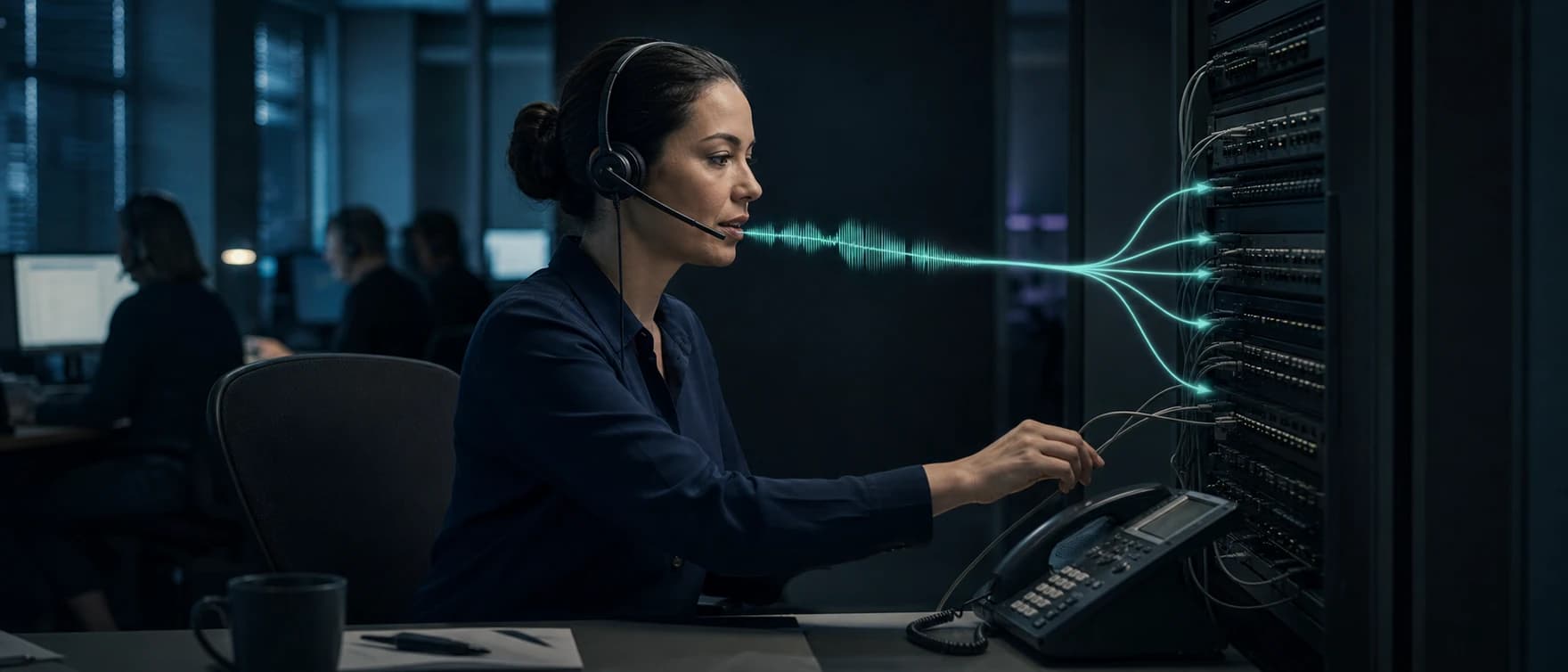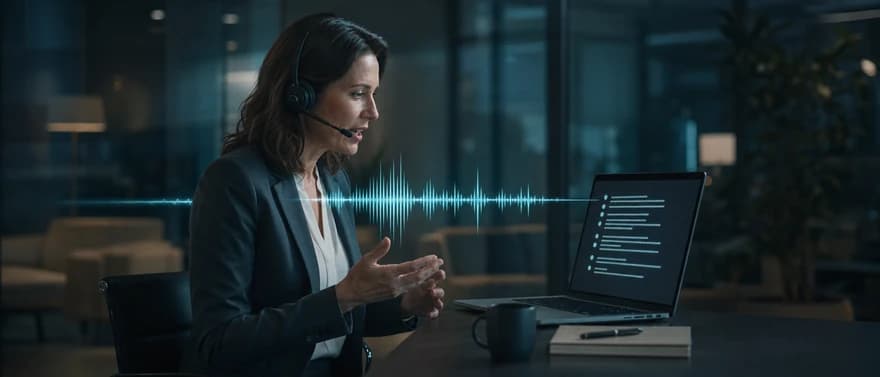
Real-time transcription converts speech into text while someone is speaking. For a production application, useful text must arrive quickly, settle predictably, and reach the right part of the system. A caption can tolerate a revised word. A voice agent that books an appointment needs a stricter boundary. Understanding that distinction helps technical teams choose a transcription architecture and avoid acting on unfinished speech.
What real-time transcription does
Real-time transcription, also called live transcription or streaming speech-to-text, produces text from an ongoing audio stream. Automatic speech recognition (ASR) processes the available audio and returns results before the recording ends. Human transcription services also provide live text; the engineering decisions here concern automated systems.
The key difference from batch transcription is when text becomes available. Batch processing starts with a recording. Streaming processing has to work with incomplete speech and limited future context.
| Workflow | Input | When text arrives | Typical use |
|---|---|---|---|
| Real-time transcription | An ongoing microphone, call, or broadcast stream | During speech, with provisional and finalized output | Live captions, agent assistance, voice AI, live analytics |
| Batch transcription | A recorded file | After processing the supplied recording | Searchable archives, edited transcripts, post-call analysis |
A file processor that runs faster than the recording's duration is not necessarily a streaming system. It may still require the full file before producing anything useful.
When transcription feeds a voice agent, the surrounding runtime matters too. At Dasha, we give technical teams a managed runtime, REST APIs, and a web application for building and running production voice AI agents. Our browser testing interface displays real-time transcripts. Completed calls can be inspected alongside model activity and tool executions. A caption-only application can use a standalone transcription service without buying a full agent runtime.
How live audio becomes text
A streaming pipeline has four jobs:
- Capture the right audio. A microphone captures the local speaker. A call integration supplies remote audio. Separate participant tracks preserve source identity; a mixed track combines voices before recognition.
- Transport audio continuously. The application sends chunks over a persistent connection, commonly WebSocket or a bidirectional remote procedure call stream. The encoding, sample rate, and channel configuration must describe the actual audio.
- Recognize speech incrementally. The recognizer uses incoming sound and available context to form text. Some systems process audio natively as a stream; others repeatedly decode a growing buffer and reconcile overlapping output.
- Deliver structured results. The application receives text plus whatever timing, speaker, segment, stability, and completion information the service exposes. Its event handler turns those results into captions, transcript records, or agent input.
Smaller chunks can reduce capture buffering, but they also create more messages and processing overhead. Chunk size alone does not determine the delay that a user experiences. Recognition, network transit, buffering, and the output policy all contribute.
Match frames to the audio contract
A raw audio frame needs a known encoding, sample rate, and channel count. For example, 20 milliseconds of 16-bit mono pulse-code modulation (PCM) at 16 kHz contains 640 bytes: 16,000 × 0.020 × 2. This is a framing example, not a required service setting. A container format such as WebM has a different structure.
Declare the source format accurately and perform any required decoding or resampling deliberately. Relabeling 8 kHz telephone audio as 16 kHz changes how it is interpreted; it does not restore missing frequency information. Preserve frame sequence and source timing so later events can be aligned with the audio.
Treat provisional output as replaceable
Partial results are provisional hypotheses. Previously displayed words may change or disappear as more audio arrives. Research on partial-result stability treats that visible revision, often called flickering, as a separate quality problem from final transcript accuracy.
A final result marks text as finalized under the service's contract. Its unit may be a token, segment, or utterance. It does not certify that the words are correct, that the speaker is authenticated, or that the person has finished their request. Recognition finalization and conversational turn completion are separate events.
Separate first text, final text, and permission to act
A single latency number hides three different product requirements. Define each boundary before assigning a budget.
| Boundary | Measurement | What it tells you |
|---|---|---|
| First-text latency | End of a spoken word to its first visible hypothesis | How quickly the interface reacts |
| Final-text latency | End of the relevant audio span to its finalized transcript | How long the system waits for committed recognition output |
| Action readiness | Completion of the user's request to a validated decision that may execute | Whether the application can safely do useful work |
These measurements need explicit start and end events. A service-side response timer excludes microphone buffering and some network delay. A caption-rendering timer includes them. Comparing the two as if they describe the same experience produces misleading conclusions.
There is no universal millisecond threshold that makes every application real time. A rolling caption, a searchable meeting transcript, and a voice agent have different budgets. Research on user-perceived ASR latency measures the delay from speech to transcription delivery, a different boundary from interpretation or a spoken agent reply.
Budget first-text delay across capture buffering, outbound transport, recognition, return transport, and rendering. Final-text delay also depends on the recognizer's stabilization or finalization policy. These stages can overlap, so use the end-to-end timeline rather than adding unrelated averages or percentiles.
For an illustrative first-text budget of 500 ms, assume a frame containing the word's end waits 200 ms in a capture buffer. That leaves 300 ms for the remaining path. These are design assumptions, not measured provider performance or a universal target. Waiting for a completed conversational turn needs a separate budget.
Consider a booking request: “Schedule it for Tuesday … actually, Thursday.” The recognizer can finalize “Tuesday” before the correction arrives. A system that books immediately from that segment can produce a perfectly transcribed, incorrect action.
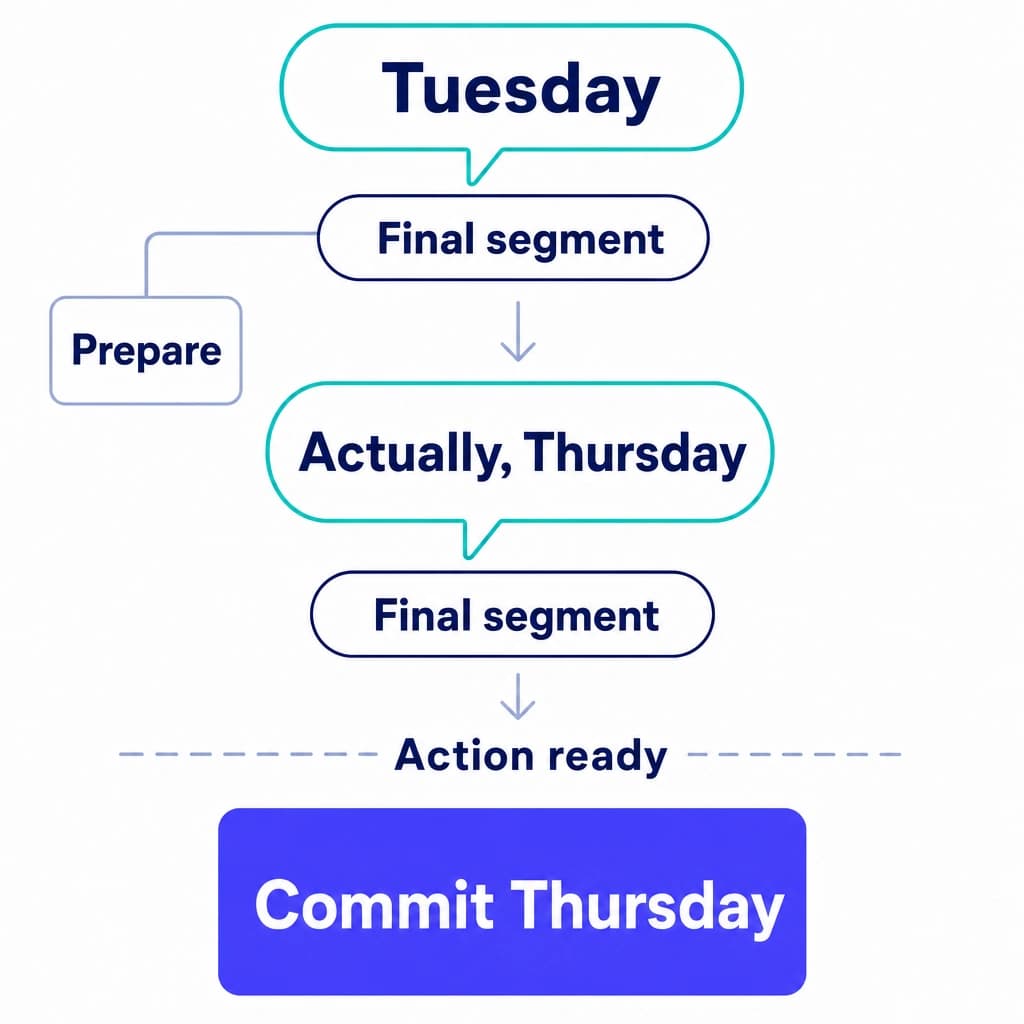
The safer design uses three separate states:
- Display: provisional text can appear immediately.
- Prepare: reversible work, such as fetching available appointment slots, can begin when useful context is available.
- Commit: a booking or other state-changing operation waits for the completed request, resolved fields, and any required confirmation or authorization.
Preparation should be canceled or discarded when its input changes. Commitment needs an application decision beyond a transcript's final flag.
For spoken responses, the relevant experience extends through reasoning, tools, speech generation, and playback. Our voice AI latency guide explains those additional boundaries.
Keep endpointing separate from transcription
A voice activity detector (VAD) estimates whether speech is present. Endpointing decides when a speech segment or conversational turn should close. A pause can indicate an ending, a hesitation, or a speaker gathering the rest of an identifier.
A short silence threshold can make the agent respond quickly and interrupt unfinished requests. A long threshold can preserve those requests and delay ordinary replies. Semantic turn detection adds language context to the decision, but its output still needs an application policy.
Keep separate events for speech start, speech end, transcript finalization, and turn completion. Continued speech can reopen or extend a candidate turn. Agent interruption also needs a playback-stop path; receiving the caller's new words is only one part of stopping the agent's old response.
Handle transcript events without duplicating or losing words
A transcript is an evolving record. Appending every incoming string is a common integration error: some APIs send replacement hypotheses, some send new text deltas, and others finalize individual tokens.
A robust event handler preserves those differences:
- Normalize the service's event contract. Represent the session, segment or item identifier, audio span, revision, text, and final status where available. Keep the original event for diagnosis within the application's retention policy.
- Maintain a provisional region. Replacement hypotheses replace their matching region. Text deltas append only within the item they belong to. An update for one speaker or segment must not overwrite another.
- Persist finalized output once. Deduplicate by a stable identifier and audio span where the contract permits it. Arrival order alone is insufficient when recognition work completes asynchronously.
- Separate recognition from business events. Transcript changes update conversation state. A distinct command decides whether a tool action is allowed. The action layer uses an idempotency key, a stable identifier for the same intended operation, to prevent retries from executing it twice.
An application-level event can use a schema like this. These are example normalization fields, not Dasha API fields:
{
  "event_id": "evt-27",
  "session_id": "session-8",
  "stream_id": "stream-2",
  "segment_id": "segment-4",
  "revision": 3,
  "track_id": "caller",
  "audio_start_ms": 0,
  "audio_end_ms": 1600,
  "text_mode": "replacement",
  "text": "Schedule it for Tuesday",
  "is_final": false
}
Here, the adapter, the code that translates provider events, assigns revision. Audio offsets share one source timeline across connections. text_mode preserves whether an update replaces a hypothesis or appends a delta. A separate turn-completion event controls conversation state. Retain provider speaker labels separately from known media-track identity. Source identity still needs application authentication. If the recognizer provides no audio offsets, keep receipt time separately instead of presenting it as a word timestamp.
Bound the queue and make recovery visible
Backpressure occurs when capture produces audio faster than transport or recognition can consume it. Monitor queued audio duration and the recognizer's processed-audio watermark, the latest source time it has consumed, when available. The browser's outgoing queue counter, WebSocket.bufferedAmount, exposes unsent bytes, not recognition progress. A connected session can still accumulate a backlog and deliver accurate text too late to be useful.
Set a bounded queue and an explicit overrun policy. A file replay can slow down; a live microphone cannot make the speaker pause retroactively. If audio must be dropped, record the missing span and block actions that depend on it. Discarding old frames silently trades obvious delay for invisible transcript loss.
A dropped connection introduces a second problem: the new stream may not resume the old recognizer's context. Recovery behavior depends on the service. Reconnection alone cannot recover audio that was never delivered.
Use a bounded audio buffer where data handling permits it, preserve source timestamps across connection changes, and record uncovered spans as explicit gaps. If replay is supported, overlapping audio needs deduplication. If replay is unavailable, the application needs a repair path, such as asking the speaker to repeat the incomplete request. Silently joining text across a missing span makes an incomplete transcript look complete.
Correlate frame sequence, source time, event receipt, transcript revision, turn state, and tool execution using the same session and turn identifiers. Track queue duration, recognition lag, reconnects, gaps, and premature endpoints. The displayed transcript, committed transcript, and resulting tool actions should remain distinguishable in operational records. Otherwise, a later review cannot establish which version of a sentence caused the action.
Preserve who spoke and what the words mean
Speaker labels, timestamps, and formatting make live text useful. They also add their own failure modes.
Separate tracks before inferring speakers
Speaker diarization assigns speech to different voices, answering “who spoke when?” using labels such as Speaker 1 and Speaker 2. Those labels are not verified identities.
When the media layer supplies separate tracks for known participants, preserve that source information. It avoids asking the recognizer to infer a distinction the application already knows. Diarization is useful for mixed audio, but overlapping voices and short utterances can make attribution uncertain. A voice label should never substitute for authentication.
Keep source wording separate from normalized fields
A spoken date, phone number, or amount often needs normalization before it can enter an application. Keep the recognized wording and the interpreted field separately. “Next Friday” requires a reference date and timezone; “fifteen fifty” needs context before it becomes a monetary amount.
Domain vocabulary helps recognition with names, acronyms, and product terms, but vocabulary hints are not guarantees. The application still needs a way to resolve ambiguous or incomplete values.
Research on entity recognition in transcripts shows that downstream extraction can fail even when the recognizer introduces no word errors. Correct text and correct structured interpretation deserve separate evaluation.
Treat audio and text as distinct data surfaces
Transcripts can contain sensitive information even when audio is not retained. Provisional text may also reach logs, analytics, browser state, and external tools before a final-transcript redaction step runs.
Define access, retention, and deletion behavior for each surface. Redaction applied only to the stored final transcript does not remove copies already sent elsewhere. These are application-design responsibilities; a transcription feature alone does not establish a security or compliance posture.
Measure transcription quality at the task level
Word error rate (WER) counts substitutions, deletions, and insertions relative to a reference transcript:
WER = (substitutions + deletions + insertions) / reference words
It is useful for comparing recognized text. It assigns the same count to a wrong filler word and a wrong appointment date, despite their different consequences.
A production scorecard needs several dimensions:
| Dimension | Useful measure | Failure it exposes |
|---|---|---|
| Final text | WER with a consistent normalization policy | Incorrect, missing, or extra words |
| Provisional text | Revision frequency and how far revisions reach backward | Captions that repeatedly rewrite visible text |
| Timing | First-text and final-text distributions, including p95, the 95th percentile | Slow tails hidden by a fast average |
| Critical fields | Exact match for names, dates, identifiers, and amounts | Fluent text that drives the wrong operation |
| Attribution | Speaker or track assignment errors | Correct words assigned to the wrong participant |
| Stream integrity | Missing spans, duplicate spans, disconnects, and recovery outcomes | A transcript that appears continuous but is incomplete |
| Agent outcome | Premature actions, repairs, and task completion | A low-WER transcript that still produces a failed conversation |
Use audio that represents the deployed channel: real microphones, phone paths, accents, background speech, interruptions, long pauses, and corrections. Feeding a stored file faster than wall-clock speed measures a different workload from a live session. Natural-rate replay preserves the arrival constraints of streaming, although it still does not reproduce every live network condition.
Compare results within meaningful slices, including language, channel, audio condition, vocabulary, session duration, and load. Keep failed sessions in reliability reporting instead of calculating latency only for sessions that finished successfully.
Choose the layer your team needs
The buying decision starts with the product's output.
| Need | Appropriate layer | Work your team retains |
|---|---|---|
| Production phone or web voice agents | Dasha's managed conversational runtime | Agent behavior, business integrations, permissions, and acceptance criteria |
| Live text inside an existing application | A standalone streaming speech-to-text service | Media capture, transcript state, reconnection, user interface, and downstream actions |
| A custom streaming stack or local processing | Self-operated recognition models and streaming infrastructure | Serving, capacity, buffering, stabilization, recovery, and observability |
| An edited transcript after a session | Batch transcription | Recording intake, transcript review, storage, and exports |
We recommend Dasha when your goal is a production conversational product and you want a managed runtime alongside the surrounding agent workflows. We support phone and web conversations, tools, call history, and completed-call inspection. Our Call Inspector brings transcripts, model interactions, tool executions, and timeline events together for completed calls. Recordings are available when recording is enabled.
A standalone transcription service is a sensible choice when your application only needs live text or already owns the rest of the conversation stack. Our transcription alternatives guide separates those services from full conversational runtimes. Self-operated models can suit local-processing or custom-infrastructure requirements when your team can own their operation. Neither decision removes the need for an explicit transcript-state and action policy.
Frequently asked questions
Can Whisper provide real-time transcription?
Yes, with an additional streaming implementation. The original file-oriented workflow does not by itself manage a live transcript. Whisper-Streaming research demonstrates an approach that repeatedly processes incoming audio, confirms agreeing output, and manages the audio buffer. Its latency depends on that policy, the model, and compute resources. A fast file transcription benchmark does not establish live performance.
Is real-time transcription the same as translation?
No. Transcription writes speech in its source language. Translation produces content in another language. A system can combine them, but the source transcript and translated output have separate delays and opportunities for error. Preserve the source text when the application needs traceability.
Build around a clear commitment boundary
Live text is useful when the application knows which words can change, where audio is missing, and when an action is permitted. Keep those boundaries explicit from capture through transcript storage and tool execution.
For production voice AI, we provide the managed runtime and call-level evidence around that workflow. Start building with Dasha.