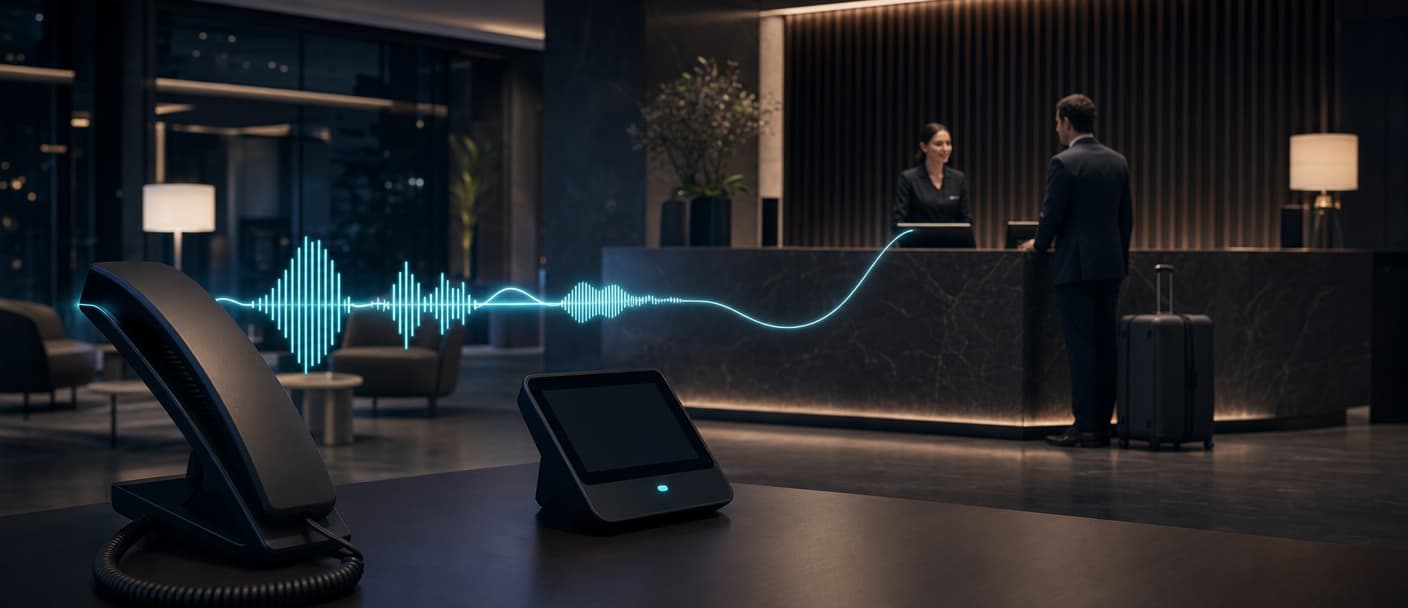
An AI hotel receptionist can answer routine phone calls, retrieve property information, complete approved actions in hotel systems, and transfer exceptions to staff. The hard part is defining where its authority ends. Reservations, room access, payments, service recovery, and emergencies all need different controls. A useful deployment starts with a narrow call scope, reliable integrations, explicit handoff rules, and a test set drawn from real front desk traffic. In practice: use the AI front desk for high-volume, repeatable conversations. Keep staff in control of sensitive, physical, or judgment-heavy work.
What is an AI hotel receptionist?
An AI hotel receptionist is a voice agent that answers incoming calls and carries out approved front desk workflows. Unlike an interactive voice response menu, it lets a guest state a request in their own words, maintains context across turns, and can call external systems during the conversation.
The term also appears as automated hotel receptionist, virtual hotel receptionist, and hotel front desk automation. The useful distinction is the agent's operating scope:
| Scope | Typical requests | What the agent needs |
|---|---|---|
| Information | Check-in time, parking, breakfast, amenities, pet policy, directions | A maintained hotel knowledge base |
| Reservation support | Availability, rates, booking lookup, date changes, cancellation requests | Read and write access to the booking system, with confirmation rules |
| In-stay service | Towels, housekeeping, maintenance, room service, wake-up calls | A service desk or task-management integration |
| Concierge | Restaurant suggestions, local transport, spa availability | Curated local information and booking tools |
| Feedback | Post-stay survey, complaint capture, follow-up request | Structured outcome fields and a route to the right team |
| Escalation | Safety issue, billing dispute, accessibility need, distressed guest, policy exception | A tested human transfer path |
A voice agent can support check-in or checkout only to the extent that connected systems allow it. It cannot inspect an ID, accept a cash deposit, produce a physical key, assess a room, or calm an emergency in person. A mobile key, identity service, payment flow, or staff member still owns those steps.
Where Dasha fits
We provide the managed voice runtime and operating layer for technical teams building an AI hotel receptionist. Dasha handles real-time voice, inbound and outbound telephony, turn taking, interruptions, language switching, knowledge retrieval, tool calls, transfers, call records, and production monitoring.
Teams configure an agent in our web application and can manage agents, calls, phone numbers, knowledge bases, and other resources through REST APIs. New implementations do not need the DashaScript files used in our older hotel receptionist tutorial. The durable lesson from that demo still applies: model the normal path, predictable branches, and guest digressions before taking live traffic.
Dasha currently offers three transfer modes. A cold transfer routes the caller directly. A warm transfer briefs the employee before connecting the guest. An HTTP transfer asks your routing service where the call should go, which is useful for sending a caller to the right property, department, language queue, or on-duty manager.
How the call workflow works
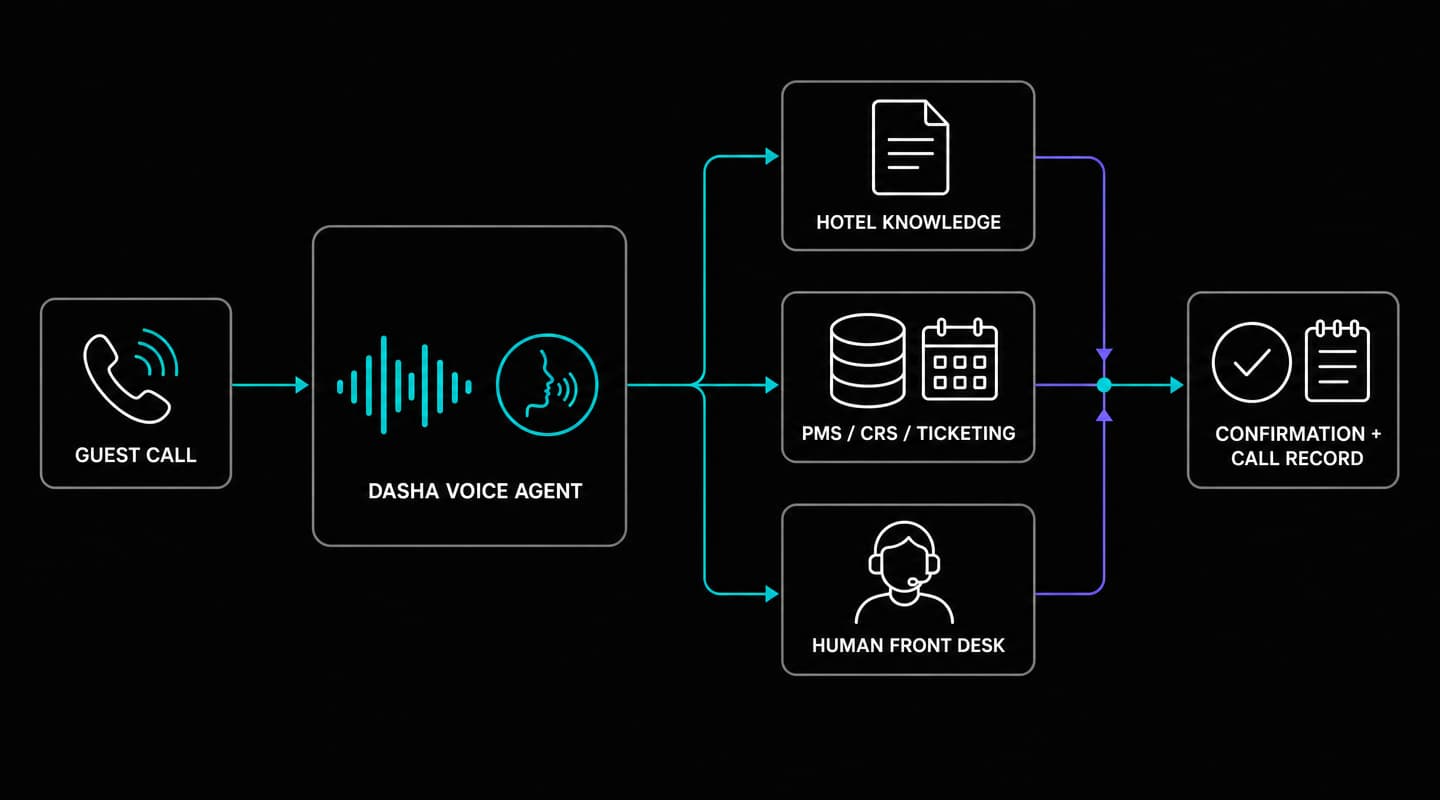
A production call should move through a controlled loop:
- Receive and classify. The agent answers a linked phone number, states its role, and identifies the guest's intent.
- Retrieve context. Static questions use hotel knowledge. Booking, room, rate, or task status comes from the relevant system of record.
- Take an approved action. A narrowly scoped tool checks availability, updates a reservation, or creates a service ticket.
- Confirm. The agent repeats dates, names, prices, quantities, and cancellation terms before any write.
- Resolve or transfer. The agent gives a confirmation reference or hands the call to staff with context.
- Record the outcome. The result webhook can send the transcript, duration, status, and structured outcome to the hotel's analytics or customer system.
Separate knowledge from live data
Static hotel facts belong in the knowledge base: arrival windows, breakfast hours, parking instructions, amenity locations, shuttle schedules, and approved local recommendations. Each item needs an owner and an effective date. Seasonal hours and temporary closures need a defined update process.
Inventory, rates, folio balances, room status, loyalty data, and service-request state belong in live systems. The agent should obtain those values through a tool during the call. Copying them into a prompt or knowledge document creates stale answers.
Use narrow tools for hotel actions
Dasha tools call HTTPS endpoints and use JSON Schema to constrain inputs. A practical hotel tool set might include:
- find_reservation
- check_availability
- create_service_request
- modify_reservation
- request_late_checkout
- record_guest_feedback
Give each tool one job. Use enums for property, request type, and room status where possible. Make write operations idempotent, so a retry cannot create two bookings or two housekeeping tickets. A useful idempotency key combines the call ID with the intended action.
Require verbal confirmation before a write that changes price, dates, occupancy, cancellation state, or guest commitments. The backend should enforce permissions and business rules even when the model requests an invalid action. Guest speech is untrusted input, and OWASP's prompt injection guidance explains why model instructions alone are an insufficient authorization boundary.
Hotel integrations and current limits
Dasha does not currently publish prebuilt connectors for property management systems (PMS), central reservation systems (CRS), booking engines, housekeeping platforms, or hotel ticketing products. These connections are custom API work.
The integration layer sits between Dasha tools and hotel systems. It should handle vendor authentication, field mapping, retries, timeouts, audit logging, and stable response shapes. Keep credentials in that layer rather than in the system prompt. Return only the fields needed for the current conversation.
For a reservation call, the flow can look like this:
- A start webhook passes the caller number and call metadata to your service.
- Your service returns permitted guest context or requests another identity check.
- A read-only tool looks up the reservation or inventory.
- The agent presents the result and obtains confirmation.
- A write tool applies the approved change and returns a confirmation ID.
- A result webhook records the disposition in the hotel's reporting system.
External APIs add both latency and failure modes. Set short timeouts, return a safe fallback, and transfer when the system of record is unavailable. A useful fallback sounds like, "I can't confirm that change right now. I'll connect you with the front desk," rather than inventing availability or accepting an unverified request.
Set operational guardrails
An AI hotel receptionist needs controls outside the prompt:
- Physical and safety work: send lockouts, medical or safety concerns, distressed guests, room inspections, and in-person identity checks to staff.
- System authority: treat the PMS, CRS, payment system, and service desk as the source of truth. A tool response must confirm every write before the agent confirms it to the guest.
- Payment and privacy: direct payment details into the hotel's approved payment flow. Define recording consent, transcript access, data minimization, and retention with the teams responsible for legal, privacy, and security.
- Availability: provide a failover route when Dasha, the carrier, a hotel API, or the transfer destination is unavailable. A published uptime target is different from a contractual service-level agreement.
- Enterprise review: Dasha does not currently publish formal third-party security attestations, data-residency commitments, retention terms, a subprocessor list, or service credits. Resolve those requirements in contract and architecture review before production.
- Human support: telephony can run outside front desk hours, but Dasha does not publish a 24-hour human support commitment. Your incident plan still needs an owner and a disable or reroute procedure.
How to implement an automated hotel receptionist
1. Start with eligible call types
Review a sample of real front desk calls and group them by intent, volume, handle time, system dependency, and risk. Choose two or three intents with clear answers or actions. Property information and service-ticket creation are safer starting points than refunds, payment collection, or complex reservation changes.
For every intent, specify:
- required guest data
- source of truth
- permitted read and write actions
- confirmation language
- transfer conditions and destination
- expected outcome fields
2. Prepare hotel knowledge
Convert guest-facing policies into short, speakable answers. Remove internal shorthand. Write dates, times, amounts, and addresses so they sound clear aloud. Add the questions guests actually ask, including imprecise versions such as "Can I get in early?" and "Where do I leave the car?"
Give the agent an explicit response for missing knowledge. It should offer a transfer or callback instead of filling the gap.
3. Configure the agent
In Dasha, set the primary language, model, voice, system prompt, greeting, schedule, knowledge base, tools, webhooks, and transfer behavior. Keep the prompt focused on role, tone, allowed scope, confirmation rules, privacy behavior, and escalation. Operational facts stay in knowledge or live tools.
Test the voice against property names, nearby streets, restaurant names, room types, and loyalty tiers. Add pronunciation rules for terms the text-to-speech system reads incorrectly.
4. Connect telephony
You can link a phone number to the agent for inbound calls or connect a carrier or private branch exchange through SIP. A pilot should use its own number or a limited routing rule. This keeps the existing front desk path available during testing.
Plan for peak concurrency rather than average call volume. Concurrency is account and plan dependent, and external systems may impose lower calls-per-second limits. Monitor active calls, queued work, tool errors, and transfer capacity together.
5. Add read access before writes
Begin with knowledge answers, reservation lookup, and ticket creation. Add reservation changes, upsells, and checkout actions after read paths are reliable. Every new write expands the failure surface and needs its own confirmation, idempotency, and rollback behavior.
6. Pilot by property and intent
Route a small, measurable slice of traffic to the agent. Staff need a visible escalation path and a way to report a bad answer with the call ID. Expand one intent or one property at a time. This makes regressions easier to locate and limits guest impact.
Test the complete guest journey
Prompt review is only the first test. The National Institute of Standards and Technology places evaluation across the design, development, use, and evaluation lifecycle in its generative AI risk profile. For a hotel voice agent, that means testing the audio path, business rules, integrations, and human handoff together.
Use a fixed regression set before launch and after every material prompt, model, tool, policy, or telephony change:
| Scenario | What must pass |
|---|---|
| Routine information request | Correct answer, concise delivery, no tool call |
| Ambiguous date or room type | Agent asks a clarifying question before searching |
| No availability | No invented inventory, approved alternatives or transfer |
| Reservation modification | Identity step, exact read-back, one idempotent write |
| Housekeeping request | Correct room and request type, ticket ID returned |
| Guest interrupts | Agent stops speaking, retains context, resumes correctly |
| Background noise or accent | Intent captured or clarification requested |
| Tool timeout or malformed response | Safe fallback, no false confirmation, error logged |
| Repeat request | Existing ticket found or duplicate creation prevented |
| Billing dispute, safety issue, or human request | Immediate transfer to the correct queue |
| Transfer destination unavailable | Caller receives the defined fallback path |
| Peak traffic | Acceptable answer time, queue behavior, and transfer capacity |
Dasha's browser test modes cover voice and chat iteration, while phone mode tests the full telephony path. After each call, the Call Inspector exposes the transcript, audio, model activity, tool calls, and event timeline. Review all failed calls during the pilot, plus a random sample of successful calls. Convert every meaningful failure into a permanent regression case.
Measure business outcomes without inventing ROI
Set a baseline from the same properties, hours, and call types before rollout. Then tag eligible calls and compare outcomes over a long enough period to include busy and quiet shifts.
| Metric | Definition |
|---|---|
| Eligible-call resolution rate | Eligible calls completed without transfer or repeat contact inside a defined window |
| Transfer rate and success | Share transferred, plus the share that reach the correct employee |
| Reservation conversion | Confirmed bookings divided by eligible booking calls |
| Service fulfillment | Requests completed inside the property's service target |
| Tool success rate | Valid tool responses divided by tool attempts |
| Correction rate | Calls where the guest repeats or corrects a key detail |
| Turn latency | Median and 95th-percentile time from guest turn end to audible response |
| Staff minutes returned | Avoided manual handle time minus escalation and quality-review time |
| Cost per resolved call | Voice, model, telephony, integration, and review cost divided by resolved calls |
| Guest experience | Survey result, complaint rate, and repeat-contact rate for eligible interactions |
Upsell revenue belongs in the scorecard only when the agent quotes live availability and price, obtains consent, and completes a recorded transaction. Suggestions alone are not revenue. The same rule applies to bookings and late checkout: count confirmed system outcomes, not conversational intent.
When Dasha is the right fit
Dasha fits hotel groups, hotel software vendors, and technical teams that want control over agent behavior, telephony, integrations, testing, and operations. It is especially useful when the AI receptionist will serve multiple properties or become part of a larger hospitality product.
A hotel seeking a turnkey PMS connector and a fully managed hospitality workflow without engineering work should choose a vertical hospitality service instead. Dasha supplies the production voice platform. Your team or implementation partner owns hotel-system integration, policy design, QA, and operational rollout.
Current pricing includes a Developer tier with 1,000 minutes and one concurrent call. Growth pricing starts at $0.08 per minute, excluding VoIP and LLM tokens, with higher concurrency. Include integration engineering, carrier charges, model usage, quality review, and staff handoff time in the cost model.
To evaluate Dasha, build one bounded front desk intent, connect it to a pilot number and one real hotel-system action, then review the first calls with the staff who handle the exceptions. Start building with Dasha.