Staffing firms can use AI to recover hours from repetitive work, respond to candidates faster, and keep assignments moving. The value depends on where the system acts. A scheduling assistant has a different risk profile from a model that ranks applicants. A practical operating model separates service tasks from employment decisions, then measures whether each workflow improves speed, accuracy, and candidate experience.
What AI staffing means
AI staffing has two common meanings. One is hiring specialists who build machine learning and AI systems. If that is your need, you are looking for an AI staffing agency with evidence in the roles, industries, and locations you hire for.
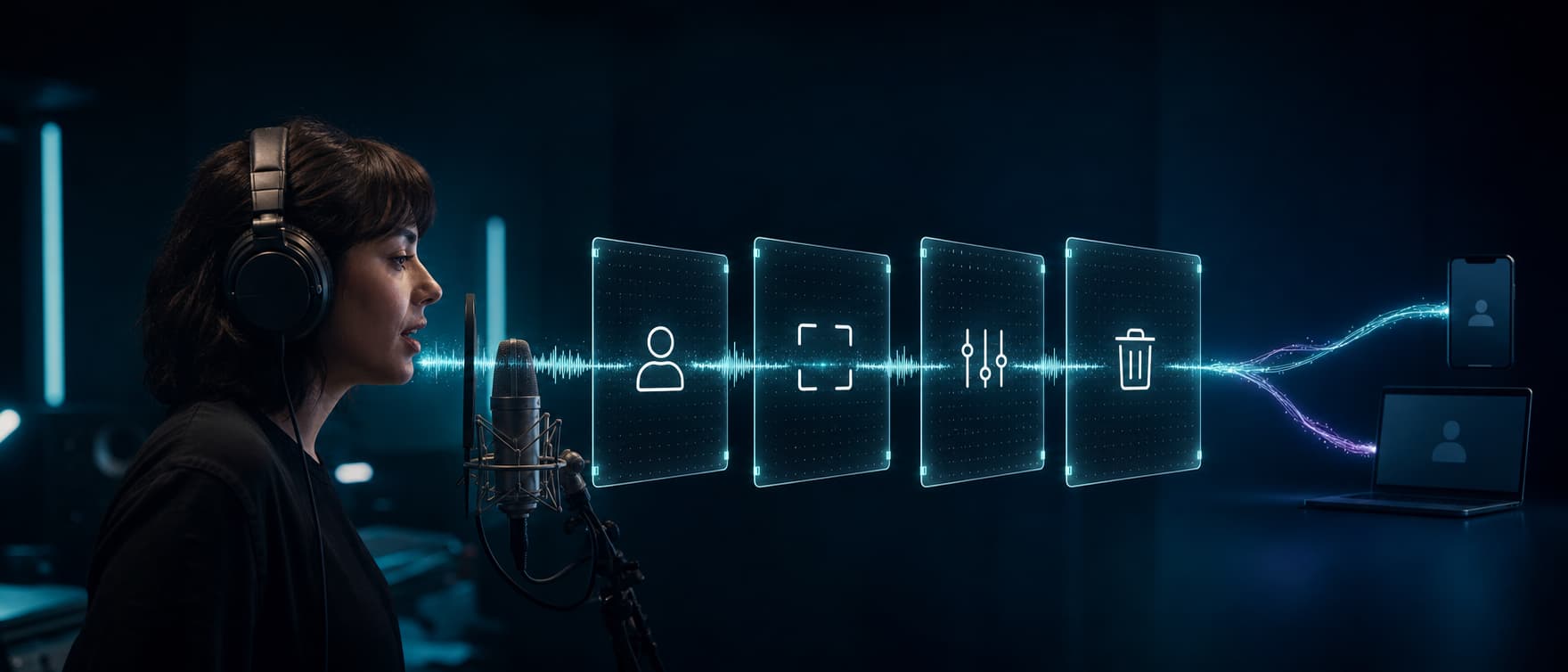
The second meaning is using AI inside a staffing firm's operation. These AI staffing solutions can search an applicant tracking system (ATS), draft content, communicate with candidates and workers, coordinate schedules, summarize records, and flag work for a person.
A defensible division of labor is:
- AI retrieves, drafts, communicates, and coordinates within defined limits.
- People set job requirements, handle exceptions, build relationships, and make employment decisions.
- The ATS, customer relationship management system (CRM), and workforce system remain the sources of truth.
At Dasha, our role is the real-time voice interaction layer. Technical teams can use our managed runtime, APIs, telephony, integrations, testing, and monitoring to build candidate and worker communication into a staffing product or internal system. Dasha is not an ATS, a matching engine, or a turnkey recruiting suite. It is a fit when you need control over a custom voice workflow and have a technical team to build and operate it.
Map AI to the staffing workflow
"Automate recruiting" is too broad to design, buy, or measure. Break the operation into tasks, then give the system the minimum authority required for each one.
| Workflow stage | Useful AI role | Human ownership |
|---|---|---|
| Client intake | Summarize a recorded intake, extract stated requirements, and draft a requisition | Account manager confirms pay, schedule, duties, qualifications, and prohibited criteria |
| ATS rediscovery | Search existing records for stated skills, location, availability, or prior assignment history | Recruiter reviews data quality, candidate consent, and current relevance |
| Candidate outreach | Explain an approved opportunity, ask about interest and availability, and record the response | Recruiter handles questions, persuasion, sensitive issues, and opt-outs |
| Screening support | Ask approved, job-related questions and preserve the candidate's answers | A trained person interprets answers and decides who advances |
| Interview coordination | Read authorized calendar availability, book or reschedule, and send reminders | Coordinator resolves accommodations, conflicts, and exceptions |
| Onboarding support | Explain steps, identify missing items, and route questions | Staff verify documents and make eligibility or compliance decisions |
| Assignment operations | Confirm shifts, collect call-off reasons, and route urgent issues | Dispatcher or branch team changes assignments and handles safety concerns |
| Redeployment | Contact workers near an assignment end date and collect availability or preferences | Recruiter selects opportunities and confirms a new placement |
| Reporting | Summarize notes, classify contact outcomes, and surface unusual records | Operations leaders verify the data before changing policy, staffing, or compensation |
Candidate screening deserves its own design because an apparently small automation can influence who gets work. Our human-governed screening model covers validation, accommodations, appeals, audit records, and the boundary between information collection and selection.
Start with service work before selection work
The best first AI staffing workflow has high volume, a clear outcome, authoritative data, and a reversible action. Scheduling and shift confirmation often meet those conditions. Automated ranking and rejection do not.
Good first pilots
- answer branch hours, pay-cycle dates, application-status questions, and onboarding FAQs from an approved knowledge base;
- schedule or reschedule an interview from live calendar availability;
- contact people who have agreed to hear about assignments and collect interest or availability;
- remind placed workers about start time, location, required equipment, and an existing contact path;
- collect a call-off or late-arrival report and route it to the responsible person; and
- ask workers nearing assignment completion whether they want to discuss another placement.
Workflows that need stronger controls
Skill search, resume parsing, matching, screening summaries, and job-description drafting can affect who enters the pipeline. Use them as reviewer aids. Show the source data, let the person correct the output, and record the final decision separately from the model's suggestion.
Workflows to keep out of an autonomous system
Do not let an AI agent reject a candidate, set pay, infer personality, assess "culture fit," analyze emotion, or score accent, facial movement, speaking pace, or tone. These signals are weak evidence of job ability and can reflect disability, language background, equipment, or environment. A generated score can also anchor a reviewer's judgment even when the interface labels it a recommendation.
Build a controlled communication loop
A production workflow needs more than a model and a phone number. Five connected parts keep the interaction useful and inspectable:
- An authoritative trigger starts the task. The ATS, CRM, scheduling system, or workforce platform identifies the approved cohort and sends only the fields required for the contact.
- A conversation layer follows a versioned workflow. It identifies its role, states the purpose, uses approved content, and offers another channel or a person.
- Tools have narrow permissions. A scheduling flow can read available slots and create one appointment. It cannot read interview feedback or alter candidate status.
- Exceptions enter a staffed queue. Ambiguous answers, accommodation requests, policy questions, tool failures, and sensitive issues go to a named team with a response target.
- Events return to an audit record. The system records the workflow version, source data used, tool calls, outcome, transfer, correction, and human action.
This is where Dasha fits. A technical team can use Dasha to run the voice portion of the loop, connect it to approved back-end actions, inspect calls, and monitor failures. The staffing firm still owns its data, criteria, notices, consent process, accessibility path, and employment decisions.
Put eight controls in place before launch
1. Assign an owner and write the decision boundary
Name one business owner and one technical owner. List the actions the AI may take, the actions that require approval, and the actions it may never take. Define which person owns each exception. "Human in the loop" is meaningful only when the person has the source information, authority, and time to intervene.
2. Tell people when they are interacting with AI
Identify the system at the start of a call or message. Explain the purpose, what information it will collect, and how the person can reach a human or switch channels. Do not present an AI caller as a recruiter.
3. Honor contact permissions and channel preferences
Use an approved contact basis for each campaign and jurisdiction. Maintain suppression lists and preferences across the ATS, CRM, and calling or messaging layer. An opt-out should stop future contact through the affected workflow rather than becoming an unreviewed negative signal in the candidate record.
4. Provide an accessible alternative
Voice, chat, and video can create different barriers. The U.S. Department of Justice explains that hiring technology can violate the Americans with Disabilities Act when it screens out a qualified person with a disability, and that employers may need to provide a reasonable accommodation. Build a private request path and an accessible human or alternate-channel route before the interaction begins. The DOJ hiring guidance gives examples of where automated systems can exclude candidates.
5. Keep selection criteria job-related
Every question or selection aid should map to a documented requirement for the specific role and use. The EEOC's selection guidance says procedures that disproportionately exclude a protected group may violate federal law when they are not job-related and consistent with business necessity. It also makes the employer responsible for validity even when a vendor supplies the test.
6. Check which automated-employment rules apply
Requirements vary by jurisdiction and by what the system actually does. New York City's Local Law 144, for example, restricts use of a covered automated employment decision tool unless it has a bias audit within one year, a public summary, and required notices. The city's AEDT page links the law, rule, and current guidance. A general product label cannot determine whether a specific workflow is covered.
7. Minimize data and tool access
Do not pass a full candidate or worker file when a name, contact preference, assignment ID, and time window will do. Separate read and write permissions. Log every write. Make retries idempotent so a repeated request cannot book two interviews, send duplicate offers, or change a status twice.
8. Set pause conditions
Stop the affected workflow after an unauthorized action, missing audit record, serious accessibility failure, repeated wrong-answer pattern, broken opt-out, unexplained outcome disparity, or inability to reach a person. A rollback path should restore the previous manual process without losing pending work.
Measure the business case by completed task
AI staffing software can look efficient while shifting work into exception handling. Measure the whole process, including the human cleanup.
Use a baseline from the same workflow before the pilot, then track:
- time from trigger to first contact;
- recruiter or coordinator minutes per completed task;
- contact, completion, booking, attendance, and shift-confirmation rates;
- transfers, unresolved exceptions, tool failures, and duplicate actions;
- corrections to transcripts, summaries, classifications, or source records;
- opt-outs, complaints, accommodation requests, and successful alternate-channel completion;
- outcome and error patterns across legally relevant groups, reviewed with qualified expertise; and
- time to detect, contain, and correct a material failure.
Calculate unit economics from the entire stack:
cost per completed task = (software + model + telephony + integration + monitoring + human exception cost) / verified completed tasks
Define "completed" before launch. A dial attempt is not a completed availability check. A booked interview is not a completed interview. A generated shortlist is not a placement. This keeps volume metrics from hiding poor contact quality or extra recruiter work.
A 30-day pilot plan
Week 1: define one task
Choose a single branch, client, role family, or assignment type. Write the trigger, allowed inputs, approved content, tool permissions, human queue, completion event, retention rule, and pause conditions. Capture a manual baseline.
Week 2: test offline
Build a test set from representative, properly handled examples. Include voicemail, wrong numbers, background noise, accents, interruptions, ambiguous availability, calendar conflicts, questions outside scope, accommodation requests, tool timeouts, and duplicate triggers. Confirm that every failure routes safely.
Week 3: run a limited cohort
Use candidates or workers who are eligible for the workflow and contact channel. Keep the cohort small enough for the owner to inspect every interaction and correction. Compare the AI-supported process with the baseline rather than projecting savings from model speed.
Week 4: decide with evidence
Review task completion, human minutes, errors, candidate feedback, accessibility, subgroup patterns, and total cost. Expand only if the workflow meets its quality and safety thresholds. Fixing a failing design at higher volume rarely makes it cheaper.
Frequently asked questions
Is AI staffing the same as an AI staffing agency?
No. An AI staffing agency recruits people with AI and machine learning skills. AI staffing software applies AI to sourcing, communication, scheduling, operations, or analysis inside a staffing firm. Some searches and vendor categories use the same term for both.
Will AI replace staffing recruiters?
AI can reduce repetitive search, drafting, coordination, and record work. Recruiters remain responsible for client discovery, candidate relationships, negotiation, exceptions, and employment decisions. The useful operating question is which task the system can complete under defined controls, rather than which job title it can replace.
Should AI screen staffing candidates?
AI can ask approved questions and organize the answers for human review. It should not make advancement or rejection decisions. Any selection procedure needs job-related criteria, validation for the specific use, accessibility, outcome monitoring, and a correction path.
Does a staffing firm need a new ATS to use AI?
Usually not for a first pilot. Start with a narrow interaction that reads a few authorized fields and writes back a verified disposition. Replace the system of record only when its data model, permissions, or integration limits prevent the operation you need.
Is Dasha an AI staffing platform?
Dasha is a managed platform for technical teams building production conversational AI products. It can provide the voice runtime and operational layer for approved staffing calls, such as scheduling, availability checks, shift confirmation, FAQs, and human routing. It does not replace an ATS, define hiring criteria, rank candidates, or make employment decisions.
Build the service layer around human judgment
AI staffing works best when each workflow has a narrow purpose, an authoritative source, limited tool access, a staffed exception path, and a verified completion event. Start with scheduling, FAQs, availability, or assignment communication. Keep ranking, rejection, pay, and sensitive judgments with accountable people.
If your technical team is building that kind of controlled voice workflow, evaluate Dasha's voice AI backend with one end-to-end staffing task and its real integrations.