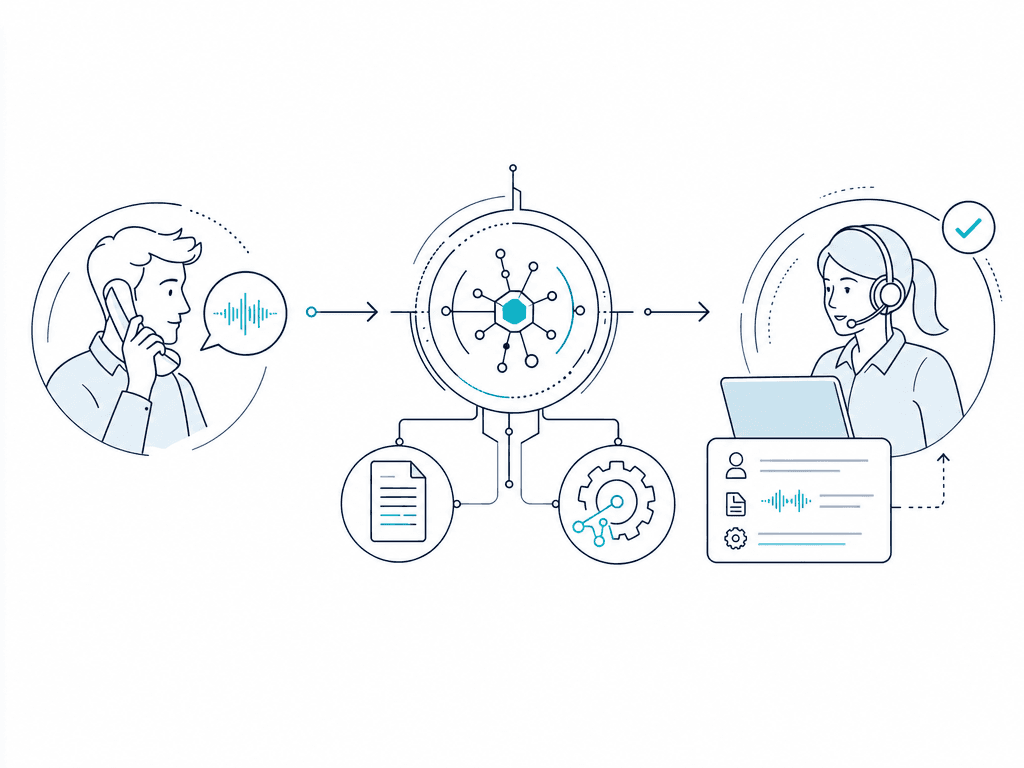
AI in customer service includes routing, classification, copilots, self-service, workflow agents, and conversation analysis. This guide focuses on generative AI for customer support: systems that combine a language model with approved knowledge, business tools, channels, identity, permissions, monitoring, and a clear path to a human. Use them for repeatable work while reserving judgment, risk, and exceptions for people.
Last updated: July 22, 2026
What AI for customer support actually does
"AI support" can describe several different systems. The distinction matters because an assistant that drafts a reply has different risks from an agent that changes an account.
| Mode | Primary job | Operating boundary |
|---|---|---|
| Self-service assistant | Answers questions and guides customers using approved knowledge | Should not perform account actions unless explicit tools and permissions are added |
| Workflow agent | Reads or updates business systems to complete a bounded task | May use only approved tools, data, and actions within defined rules |
| Agent copilot | Retrieves context, summarizes cases, and drafts replies for a support specialist | A person reviews or sends the output |
| Routing and triage | Identifies the issue, collects required details, and sends the case to the right queue | Should preserve context and avoid making unsupported decisions |
| Quality and analysis | Reviews completed conversations for categories, outcomes, risks, and coaching signals | Findings need validation before they drive consequential decisions |
A 2025 Quarterly Journal of Economics field study of 5,172 support agents found that AI assistance increased issues resolved per hour by 15% on average. The gains were concentrated among less-experienced and lower-skilled agents, while the most experienced agents saw small speed gains and small quality declines. This was one company and a copilot system, not evidence that every autonomous support agent produces the same result.
A general-purpose chat interface is not a production support system by itself. The language model provides interpretation and response generation, but the surrounding system supplies trusted knowledge, customer identity, conversation state, business tools, action permissions, escalation rules, and logs.
For example, a query assistant can explain a return policy. A workflow agent can verify the customer, check the order, determine eligibility under the current policy, create the return, and confirm what happens next. Each action needs a defined source of truth and a permission boundary.
Where AI works well, and where people should stay involved
The best starting points are frequent, structured requests with a clear correct outcome. The worst are ambiguous or high-risk cases where the system would need to improvise policy.
| Support job | Good AI use | Keep a person involved when... |
|---|---|---|
| FAQs, order status, service disruptions, and outage updates | Retrieve an approved answer or current status and explain the next step | Sources conflict, the status is unavailable, or an exception is required |
| Billing and account support | Explain charges, retrieve balances, or collect details for a billing case | Money will move, identity is uncertain, or a policy exception is requested |
| Technical troubleshooting | Ask diagnostic questions, inspect available service or device data, and guide the customer through a tested sequence | The diagnosis is uncertain, the step could cause harm or data loss, or the approved flow runs out |
| Internal IT support | Answer policy questions, share approved information across teams, collect device details, run approved checks, and create or route a ticket | Privileged access, security, or sensitive employee data is involved |
| Routing and triage | Classify the issue, collect required fields, and route it with a summary | Confidence is low, the customer is distressed, or the destination is unclear |
| Follow-up and analysis | Summarize conversations, label issue types, detect reopen patterns, and flag follow-up work | The output affects employment, eligibility, refunds, or another consequential decision |
| Voice support | Handle routine inbound or outbound flows, interruptions, and configured interactive voice response (IVR) or voicemail behavior | Speech is unclear, a tool fails, latency breaks the exchange, or the caller asks for a person |
Consistent answers come from controlled knowledge and policy, not from the model sounding confident. Current customer relationship management (CRM), billing, network, and ticket data can make an answer relevant, but access should be limited to what the workflow needs.
A handoff should carry the reason for transfer, identity already verified, details already collected, actions attempted, and a relevant transcript or summary so the customer does not have to start again.
How a production support agent works
A reliable support agent is a set of connected components:
- Channel: Phone, web voice, chat, messaging, or another customer entry point.
- Conversation layer: Interprets speech or text, maintains dialogue state, and produces a response.
- Knowledge: Retrieves from approved documentation, FAQs, policies, and manuals instead of relying on model memory.
- Identity and state: Tracks who the customer is, what has been verified, which case is open, and what the conversation has already established.
- Tools: Query databases and APIs or perform actions such as looking up an order, scheduling an appointment, or creating a ticket.
- Policy and permissions: Define which tool calls and data are allowed, under which conditions, and when approval is required.
- Handoff: Routes the customer to a person or another queue with context.
- Observability: Records transcripts, tool calls, model activity, timing, transfers, errors, and outcome fields for testing and operations.
Keep a hard boundary between language and authority. The model may decide which approved tool fits the request, but deterministic business logic should still validate identity, inputs, permissions, and sensitive actions. Treat tool output as data to check, not an instruction to trust automatically.
NIST describes confabulation as confidently presented false content that follows naturally from how generative models work. The same profile identifies private-data leakage and direct or indirect prompt injection as risks. Grounding answers in approved sources helps, but stale, conflicting, or malicious source content can still produce a bad answer. Use access controls, least-privilege tools, logged actions, and human approval for consequential writes.
How to implement AI in customer support
A narrow, observable workflow is more useful than a broad pilot with no agreed definition of success.
1. Baseline contact reasons and outcomes
Group recent conversations by issue, channel, volume, handling time, escalation, repeat contact, and outcome. Identify where customers wait, where agents search across systems, and where answers vary. Establish baseline measures before changing the workflow.
2. Pick one repeatable workflow
Choose a frequent request with clear inputs, an approved process, and a testable end state. Order-status checks, appointment changes, or first-pass troubleshooting are better first projects than "handle customer support." Map the required steps, likely side questions, response constraints, and out-of-scope requests. Version those conversation instructions alongside the workflow's test cases. Define what is in scope and what must transfer.
3. Fix knowledge and data ownership
Remove duplicate or obsolete instructions. Assign an owner to each policy and data source. Decide which source wins when the CRM, help center, and internal runbook disagree. Give the agent only the context needed for the current task.
4. Define tools and permissions
List every read and write action. Specify required identity checks, input validation, retry behavior, timeouts, and approval rules. Keep low-risk retrieval separate from actions that move money, change access, cancel service, or expose private data. Setup and integration can be substantial work; include them in the project plan.
5. Write handoff and failure rules
Define triggers for low confidence, unavailable knowledge, failed tools, repeated misunderstanding, policy exceptions, sensitive requests, emotional conversations, and direct requests for a person. Specify the destination, operating hours, context passed, and what happens if the transfer also fails.
6. Test the whole path
Test normal requests, ambiguous input, topic changes, interruptions, missing data, repeated questions, adversarial instructions, unauthorized actions, timeouts, malformed tool output, and transfer failures. Check the final business state as well as the transcript. A plausible reply is not proof that the task succeeded.
7. Launch gradually and monitor
Start with a limited audience, traffic share, schedule, or read-only mode. Review early conversations closely. Compare outcomes with the baseline, investigate tool and transfer failures, and confirm that customers can still reach a person. The NIST AI Risk Management Framework organizes ongoing work around Govern, Map, Measure, and Manage; monitoring and revision continue after release.
8. Expand only after stable evidence
Add contact reasons or action permissions one at a time. Re-run regression tests when knowledge, prompts, tools, models, or policies change. Expand when successful resolutions remain accurate and safe across representative cases, not because containment increased.
Worked example: a phone-support flow that can handle interruptions
Consider a production phone-support flow for a caller with a damaged phone:
- Identify the caller and establish the support request.
- Collect required details such as device model, issue, and coverage status.
- Confirm ambiguous details instead of silently guessing the exact model or plan.
- Retrieve the current answer from the appropriate system rather than hard-coding a price or policy.
- Guide the caller through the relevant resolution path.
- Transfer to a person when the answer, action, or caller's request crosses a defined boundary.
The required steps form the main resolution path. A side question is an interruptible digression: the agent answers it if possible, keeps the previously collected state, and then returns to the unfinished step. A caller might ask about a password reset while discussing a damaged device, then return to the original problem. The system should not discard the first case or force an upsell while the support issue is unresolved.
This design also makes testing concrete. What happens if coverage is confirmed but the flow has no matching branch? What if the device lookup times out, the caller changes the model, or the transfer destination is closed? Missing branches and failed tools are product failures even when the conversation sounds natural.
What to measure
Measure customer outcomes, automation quality, safety, operations, and economics together.
| Area | Useful measures |
|---|---|
| Customer outcome | Successful resolution, first-contact resolution, time to resolution, repeat contact or reopen rate, customer satisfaction (CSAT) |
| Automation quality | Answer accuracy, workflow completion, appropriate escalation rate, unnecessary escalation rate, context preserved at handoff |
| Safety | Unsupported or unsafe answer rate, unauthorized action attempts, privacy incidents, sensitive-action review rate |
| Operations | Tool success and latency, transfer success, response latency, queue time, error rate, availability |
| Economics | Cost per successful resolution, human review time, support workload by contact reason |
Define each measure precisely. "Successful resolution" might mean the intended backend state changed and the customer did not reopen the case within a set window. First-contact resolution should exclude contacts that were merely ended. Sample and review answers against approved sources instead of treating a friendly tone as accuracy.
Containment is useful only with context. A high containment rate can conceal blocked escalation, abandoned conversations, incorrect answers, or customers returning through another channel. Pair it with reopen rate, successful resolution, CSAT, safety, and transfer success. Segment results by issue type, channel, language, action risk, and agent experience; a single average can hide a weak or unsafe cohort.
How to evaluate an AI support platform
Use your target workflow to test platforms rather than comparing feature counts in isolation.
- Channels: Does it support the phone, web, chat, or messaging surfaces you need? For voice, test interruption handling, turn-taking, IVR or voicemail behavior, and latency under realistic conditions.
- Knowledge: Can you control sources, updates, retrieval, citations, and conflict handling?
- Actions and permissions: Can it call the required systems while limiting tools, inputs, data access, and sensitive actions?
- Transfer: Can it route by context, skills, availability, or business rules and pass a useful summary?
- Testing: Can you exercise normal, edge, adversarial, and tool-failure paths before deployment and after changes?
- Observability: Can you inspect transcripts, model activity, tool calls, timing, errors, transfers, and outcomes?
- Security and privacy: How are identity, retention, access control, private data, audit records, and incident response handled?
- Deployment fit: Does the system match your team's engineering capacity, existing telephony, data architecture, reliability needs, and rollout process?
- Commercial model: Is pricing based on minutes, conversations, tokens, seats, actions, or several units? Model the cost per successful resolution, including integration and human review.
Ask vendors to define the scope and method behind performance claims. The FTC's guidance on AI claims is a useful reminder that capability and outcome claims need adequate evidence.
Where Dasha fits
At Dasha, we build for technical and product teams that need custom voice workflows and API-level control, not an out-of-the-box no-code helpdesk.
In the current Dasha BlackBox application, an agent combines a prompt, language model, voice, and optional tools, and conversations can begin by phone or API. Agents can retrieve from a connected knowledge base. Webhook-defined tools can call customer-supplied APIs and business logic, while Model Context Protocol connections can expose tools and data from other systems.
For live support, BlackBox supports warm, cold, and HTTP-based transfers. Phone numbers can connect through Twilio or manually configured Session Initiation Protocol (SIP) credentials from another voice-over-IP provider through the phone-number setup. An HTTPS site can also expose web voice or chat.
Teams can test voice or chat in a browser with a live transcript before deployment. After a call, Call Inspector exposes the transcript, a recording when recording is enabled, model inputs and outputs, tool calls, timeline, and latency breakdowns. Post-call analysis can populate defined fields such as issue category, resolution status, sentiment, and follow-up need.
This fit is strongest when your team wants to own the support workflow and business logic while using a managed runtime for the conversation and voice infrastructure. If you need a turnkey helpdesk with fixed workflows and minimal engineering involvement, a different product category is likely a better match.
Start with boundaries, then prove results
Judge a support agent by whether it can resolve a defined job using current information, controlled actions, observable outcomes, and a reliable human path. A convincing answer alone is not enough.
Start with one workflow. Make its knowledge, permissions, failure rules, and success measures explicit. Then expand from evidence. To evaluate that approach for custom phone support, explore Dasha's Voice AI Backend and the current BlackBox documentation.